Remember pressing play on a Walkman? The click of the button, the little reels turning, flipping the tape when one side ended. Music felt like something you could hold.
Pure Music Mode brings that feeling back to Isai.
Choose a cassette deck, a CD player or a turntable, and Isai’s player turns into it. On iPhone Duo it works two ways. Fold the phone and the player fills the cover screen, so you hold it just like a pocket player. Open it and your albums sit on the left, with the player on the right.
Only the look changes. Your music sounds exactly the same.
A1Pick a deck
There are three kinds of player. Each one changes the player and the way your albums look.
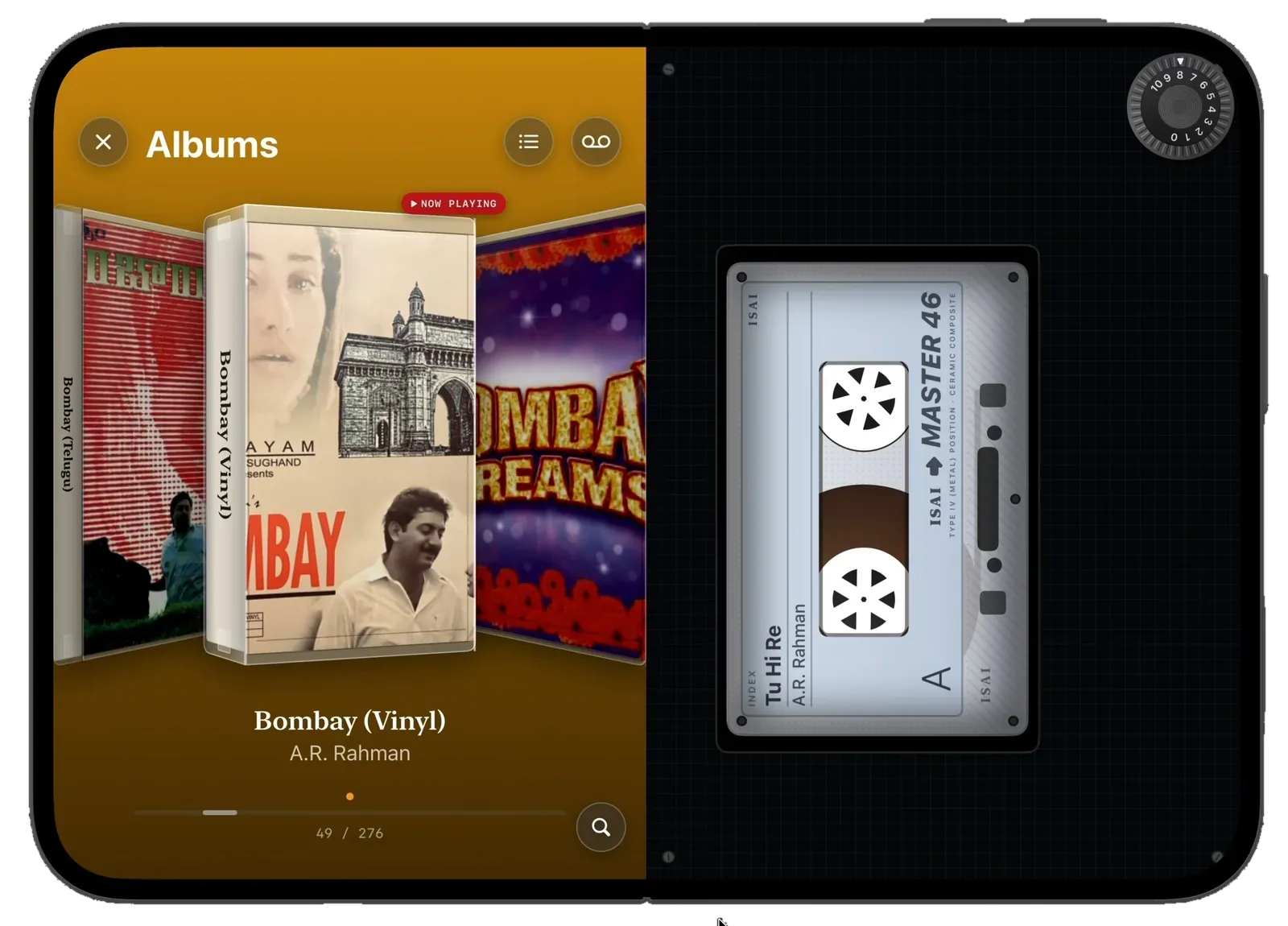
Cassette. Your albums become cassette cases, with the title on the spine. The tape plays in the deck on the right.
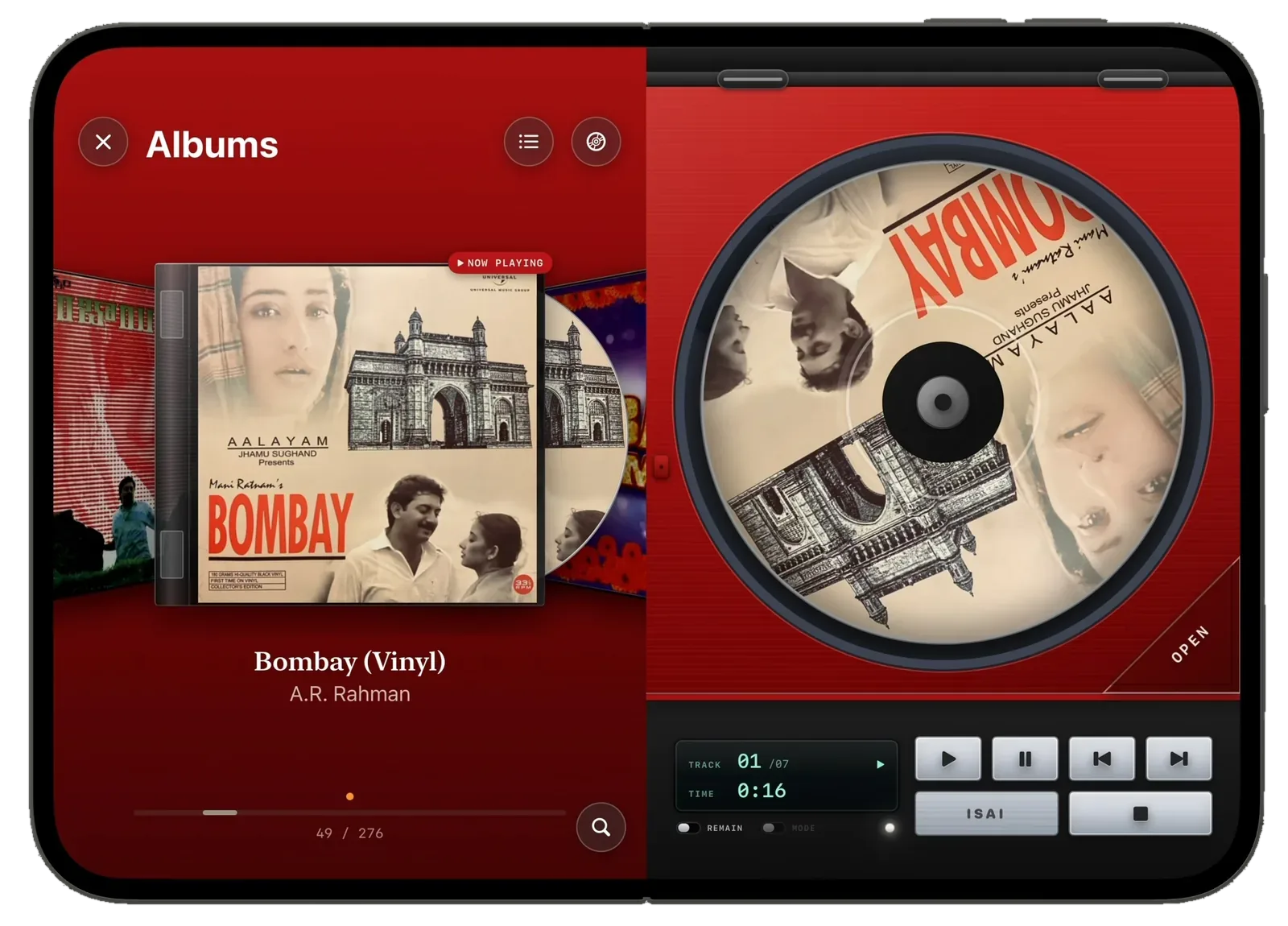
CD. Your albums become CD cases with the disc peeking out. On the right, the disc spins with the album cover printed on it.
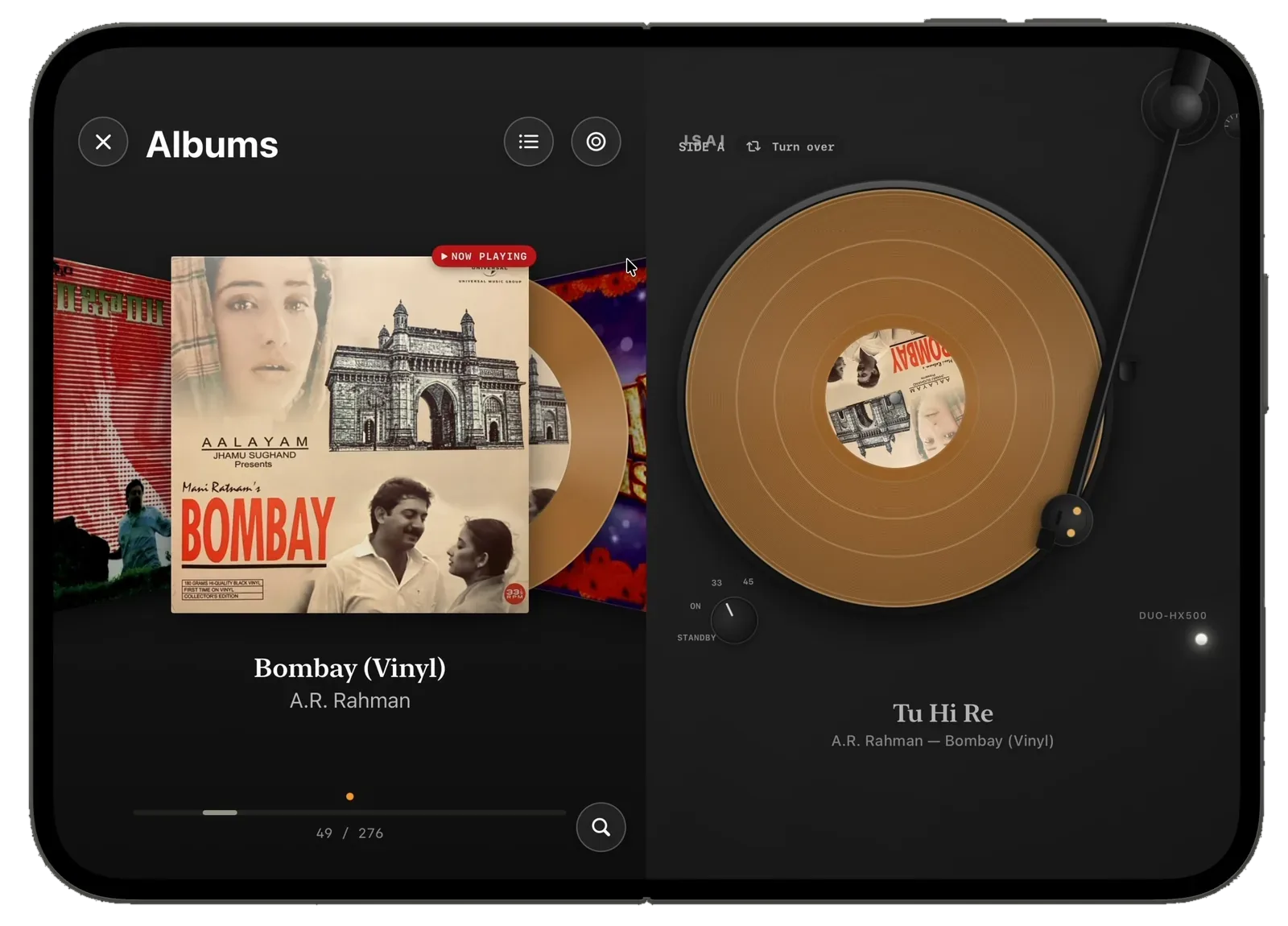
Vinyl. Your albums become record sleeves. The record plays on a turntable on the right, and it comes in colour, not just black.
A2Fold it to hold the player
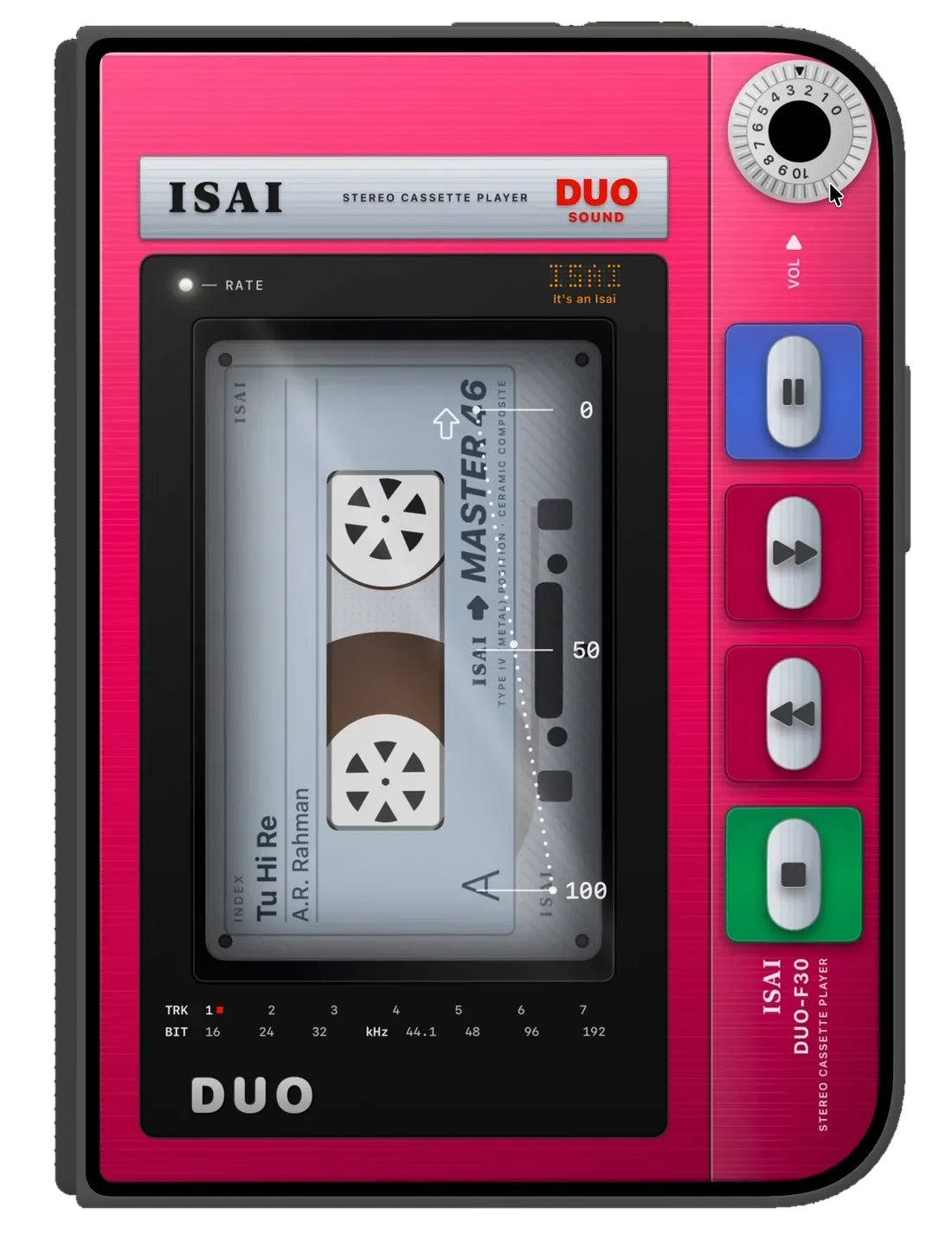
Close your iPhone Duo while music is playing and the player fills the cover screen. You get buttons to tap, a volume wheel to turn, and a tape or disc that spins while the song plays.
Choose the player you grew up with.
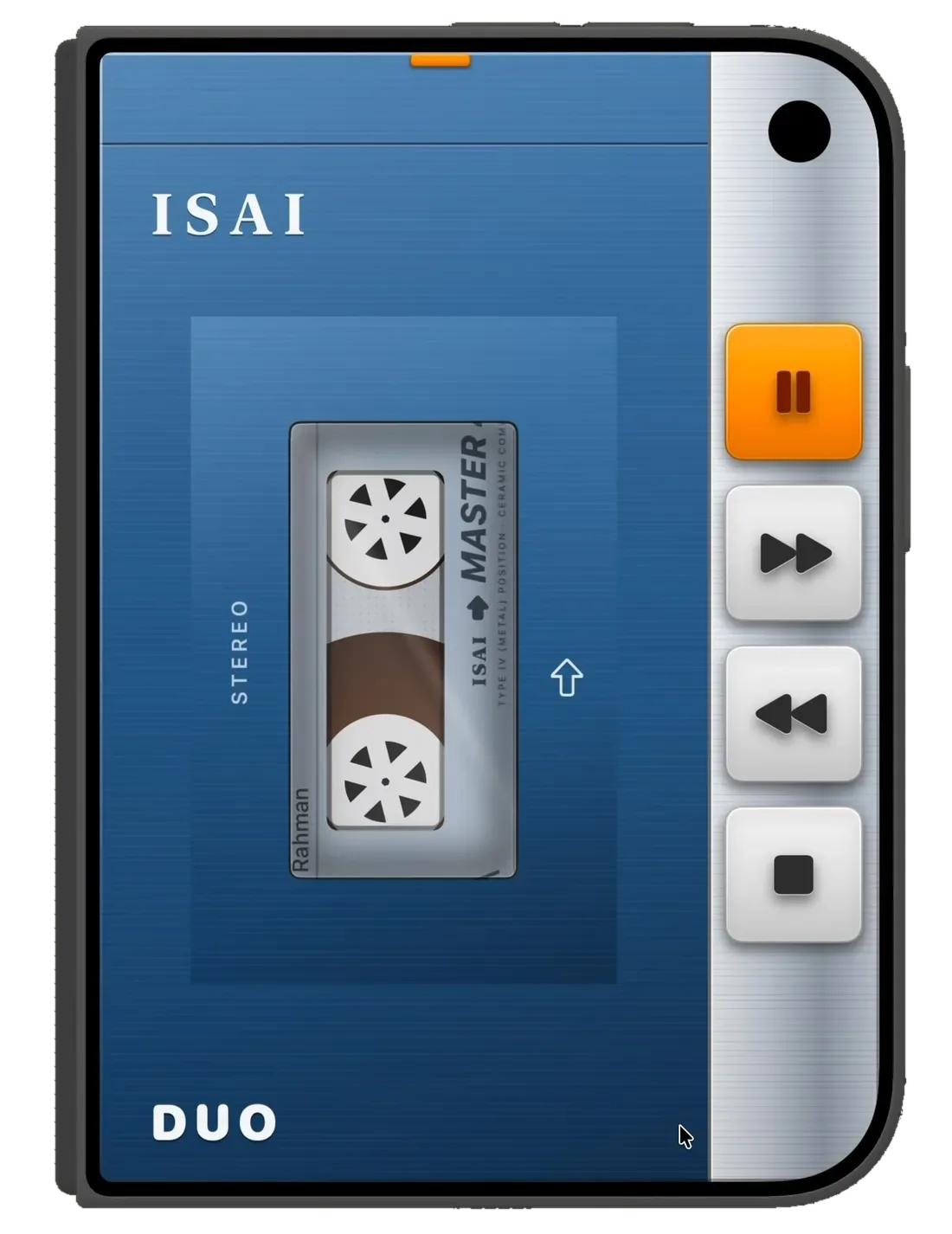
CassettePress play.
- L2
- F30
- WM-2
- F5
- DD
The F30 is bright pink, with big coloured buttons down the side: blue for play and pause, red for fast-forward and rewind, green for stop. Turn the wheel in the corner to change the volume.
Inside is an Isai Master 46 tape. The song and the artist are written on its label, and the reels turn as the music plays.
Prefer something calmer? The blue player keeps it simple, with silver buttons and a single orange pause key.
- ButtonsPlay, pause, fast-forward, rewind and stop.
- VolumeA wheel you turn, from 0 to 10.
- Tape labelShows the song and the artist.
- Five modelsL2, F30, WM-2, F5 and DD.
Compact DiscTrack 01.
- Red DUO
- Silver
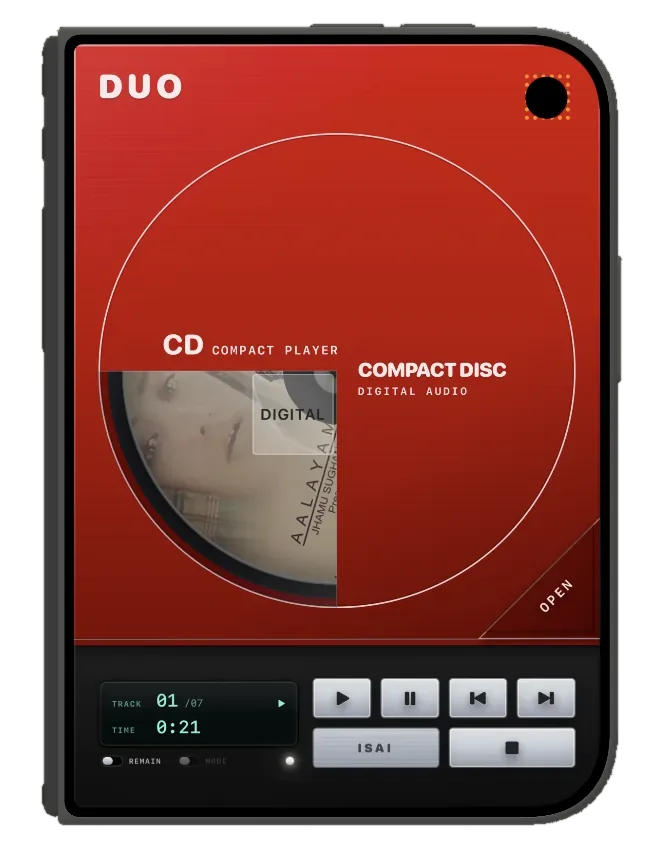
The red DUO CD player shows the disc through a window in the lid, with the album cover printed on it. Below, a small green screen shows the track number and time, next to play, pause, skip and stop buttons.
Flip the REMAIN switch to see the time left in a song instead of the time played.
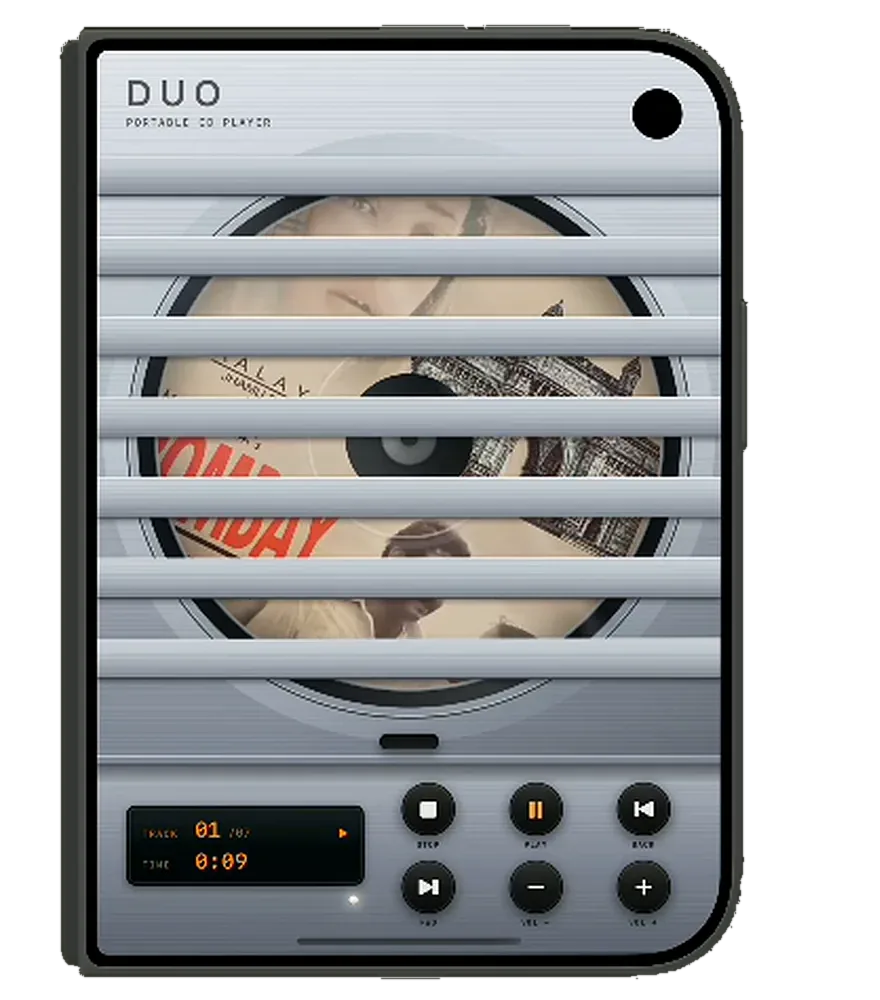
The silver CD player has shutters over the disc, an orange screen and round black buttons.
Open the Duo and the disc gets the whole right side of the screen, spinning as the song plays.
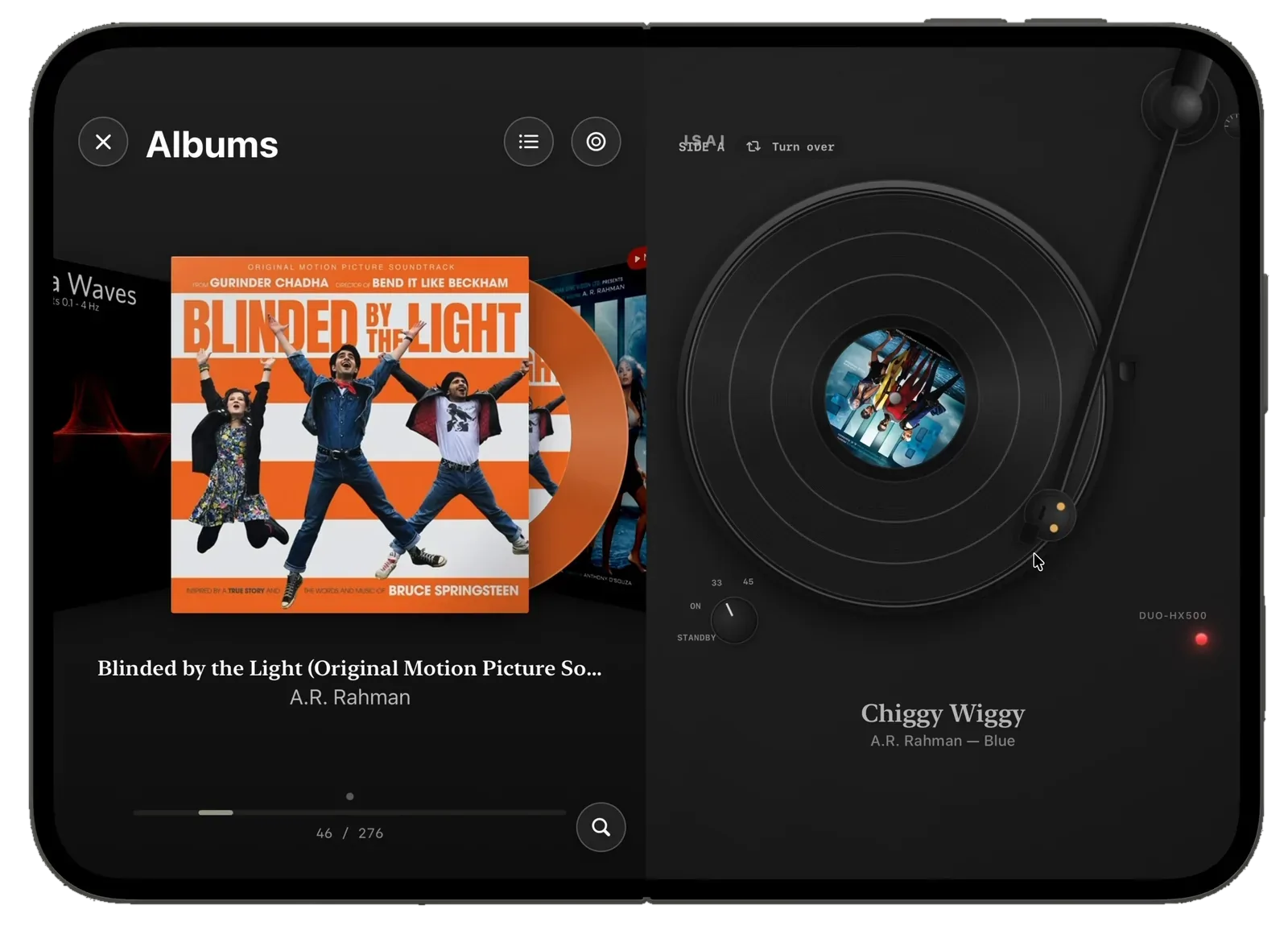
VinylTurn it over.
- HX500
- 2400
The HX500 is a black turntable with the tonearm resting on the record. It has a knob for 33 and 45, a light that shows it’s on, and a Turn over button to switch between side A and side B.
Records come in colour, with the album cover printed on the label in the middle.
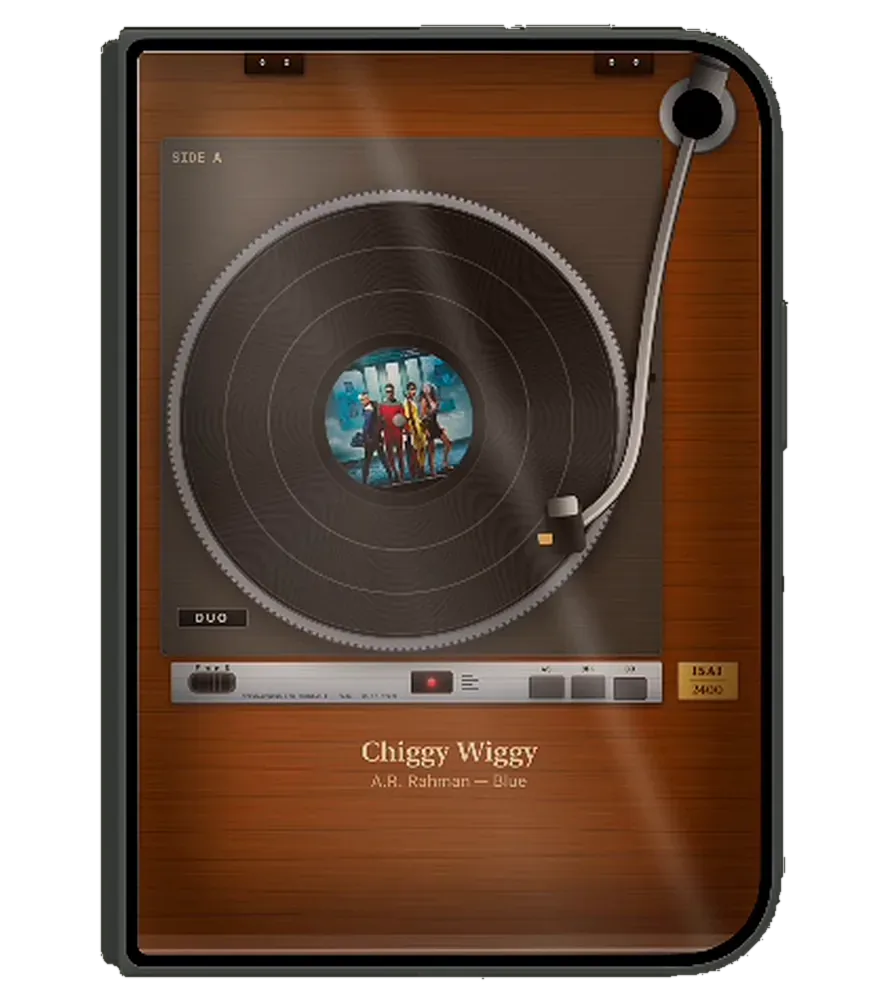
The 2400 is a wooden turntable with a silver platter and a chrome tonearm. When you pick it, your albums take on a warm brown to match.
- Turn overSwitch between side A and side B.
- SpeedA knob for 33 and 45.
- Coloured recordsWith the album cover on the label.
- Two turntablesHX500 in black, 2400 in wood.
B2Open it up
Open your iPhone Duo and you get two screens: your albums on the left, the player on the right.
Swipe through your albums as covers. The one that’s playing has a NOW PLAYING tag. The background changes colour to match the player you picked, so both sides feel like one.
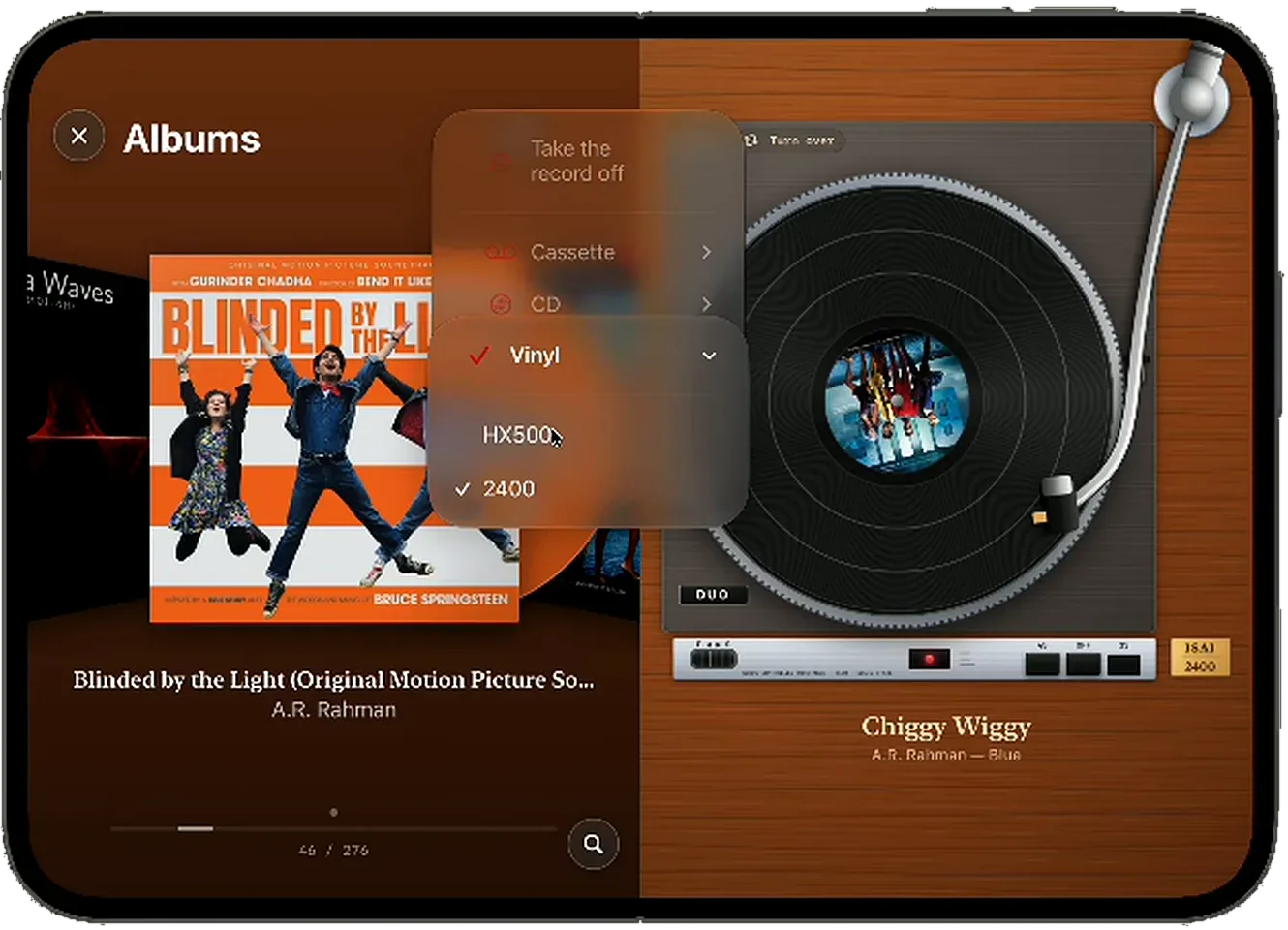
Switching players
Tap the player button at the top of your albums. Choose Cassette, CD or Vinyl, then pick a model. The player changes straight away, and your song keeps playing.
| Format | Models | Albums look like |
|---|---|---|
| Cassette | L2 F30 WM-2 F5 DD |
Cassette cases |
| CD | Red DUO, silver | CD cases |
| Vinyl | HX500 2400 |
Record sleeves |
B3The same Isai underneath
Pure Music Mode only changes how Isai looks. Your music plays exactly as it always does, straight from wherever you keep it.
Even a high-resolution file plays perfectly on the cassette player. It just looks like a tape.
Everything you know from Isai still works:
- FLAC
- ALAC
- DSD
- Gapless
- MEGA
- Dropbox
- WebDAV
- Play On
- Bit perfect on Mac
B4Questions
What is Pure Music Mode?
A new way to play music in Isai, made for iPhone Duo. It turns the player into a cassette deck, a CD player or a turntable. Fold the phone to hold the player. Open it to see your albums beside it.
Which players are there?
Five cassette players (L2, F30, WM-2, F5 and DD), CD players in red and silver, and two turntables (HX500 and 2400).
Does it change the sound?
No. It only changes how Isai looks. Your music plays through the same Isai you already know.
When can I get it?
Soon. Pure Music Mode is coming with Isai on iPhone Duo. There’s no release date yet. When Isai ships, the Isai page becomes the download page.
 Meet Isai