Isai app icon: gold musical notation on a deep Isai-red field

Isai

A music player for people who own their music.

Maybe it lives on MEGA. Maybe Dropbox, a Nextcloud box, a Synology in the cupboard, a folder on a local drive. Connect it once and Isai reads the tags, builds a proper library with albums, artists and artwork, and streams straight from where the files are.

Nothing goes through a server in between. Nothing is transcoded on the way.

Coming soon to the App Store No release date announced yet

Connect it once

Add a source and Isai reads the tags, builds a proper library — albums, artists and artwork — and streams straight from where the files are.

MEGA

Your own account, or a public or shared folder link with its key.

Dropbox

Sign in once and stream your files.

WebDAV

Nextcloud, ownCloud, Synology, pCloud, Koofr — or any WebDAV share.

Local files

A folder on this device. Free, with no purchase at all.

Apple Music

If you subscribe, on the same shelf as the files you own.

Nothing is proxied through a server of ours. There is no catalogue to subscribe to, because the catalogue is yours.

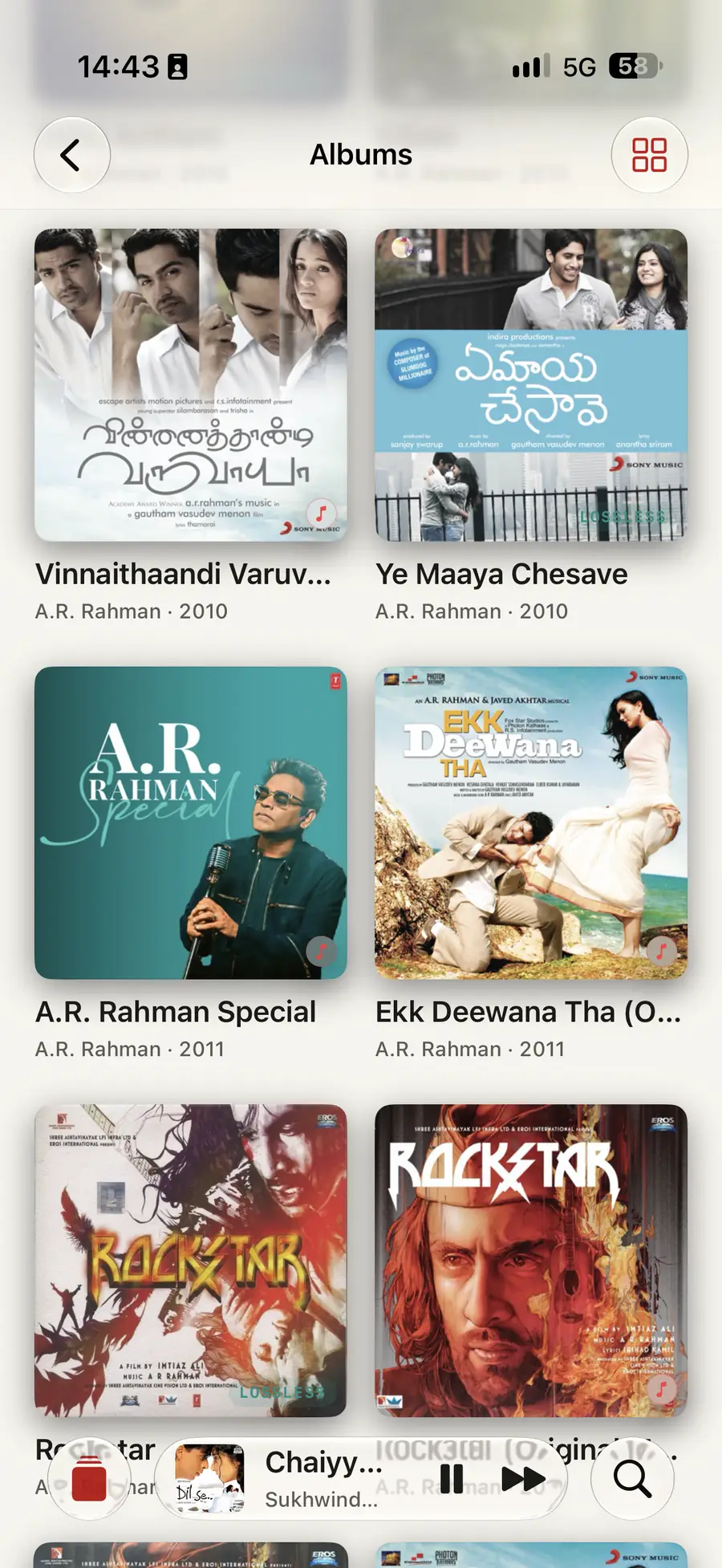
Isai’s Albums grid on iPhone: artwork for Vinnaithaandi Varuvaayaa, Ye Maaya Chesave, A.R. Rahman Special, Ekk Deewana Tha and two Rockstar releases, each under its artist and year, with LOSSLESS marked on the copies that are, and a mini player along the bottom playing Chaiyya Chaiyya by Sukhwinder Singh.
Albums — iPhone · warm paper

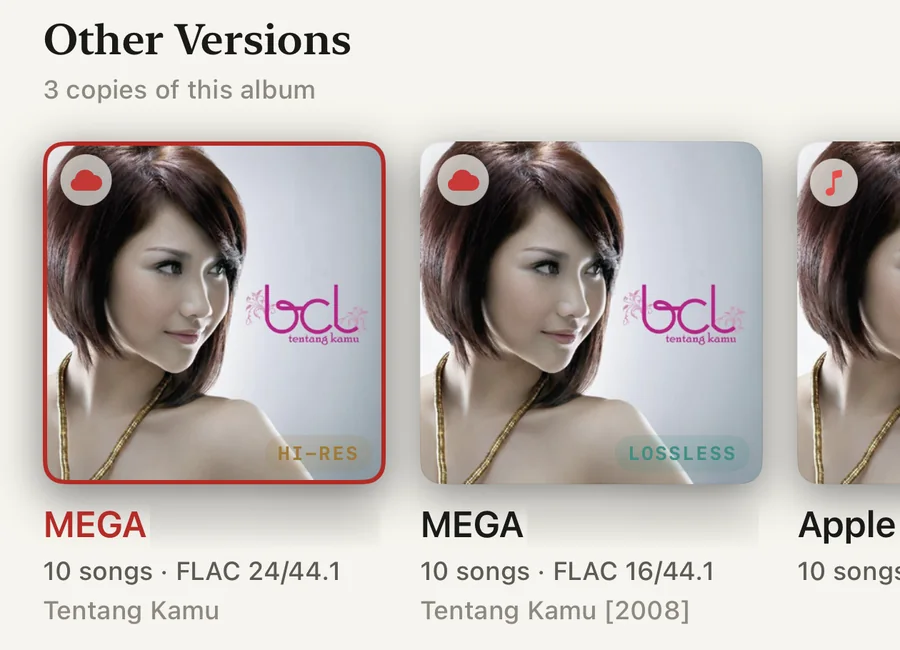
Own the same record more than once — the Hi-Res FLAC on MEGA, the 16-bit rip beside it, the Apple Music copy — and Isai keeps them as one album with its editions listed underneath, each named by the source it came from and the format it is in.

An album page in Isai showing Other Versions, three copies of this album: Tentang Kamu by Bunga Citra Lestari from MEGA at FLAC 24/44.1 badged HI-RES and outlined in red as the copy in use, the same album from MEGA at FLAC 16/44.1 badged LOSSLESS, and an Apple Music copy alongside them.
Three copies, one album — iPhone · warm paper

What plays

FLAC, ALAC, M4A, WAV, AIFF, MP3, AAC, Ogg Vorbis and Opus. DSF and DFF, including DST.

DSD, through Isai’s own engine

DoP to a DAC that takes it, or careful conversion to PCM for everything else — a 96-tap FIR with a Kaiser low-pass, named in the Signal Path so you can see it happen.

Between the tracks

Gapless, with crossfade when you want it and never where it would harm the sound.

Embedded lyrics and .lrc files follow along as the song plays.

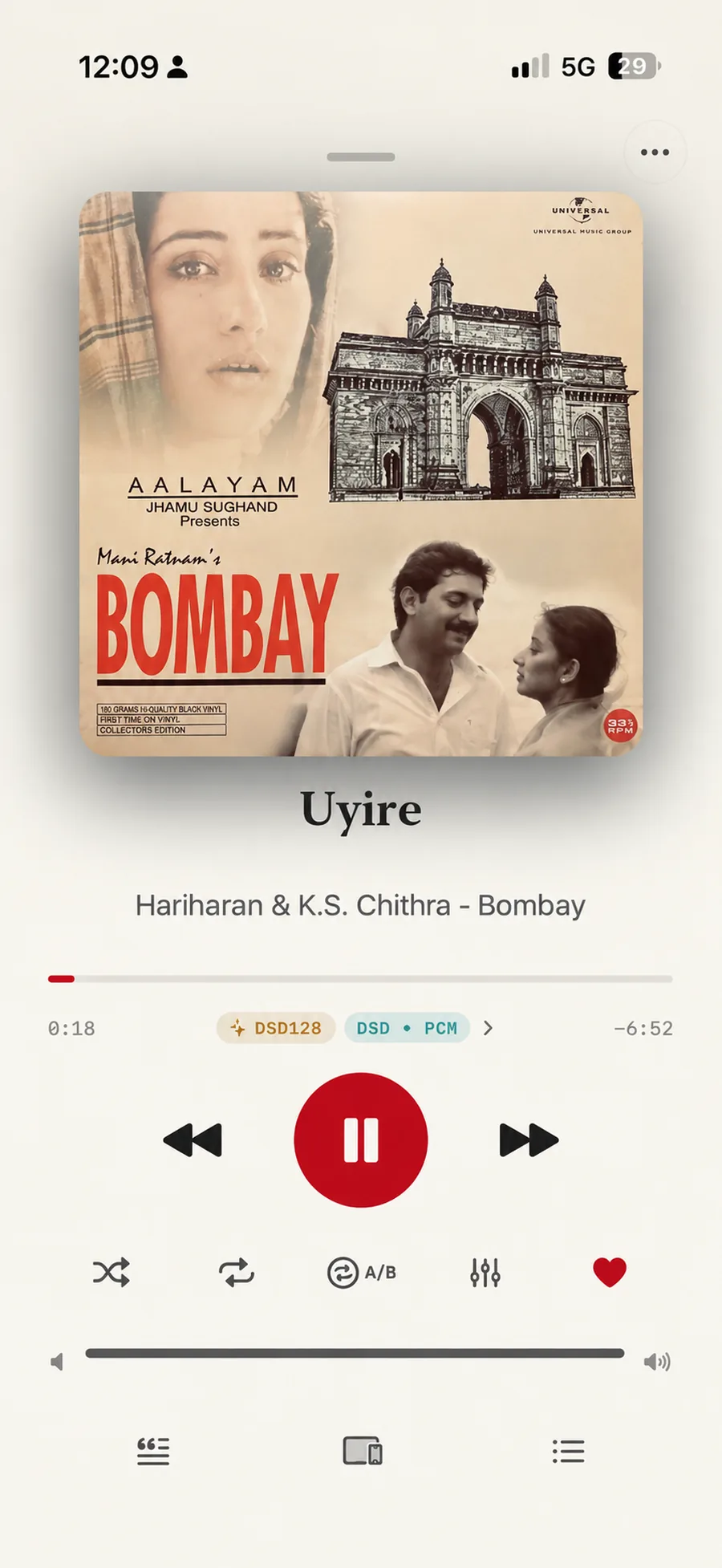
Isai playing Uyire from Bombay, by Hariharan and K.S. Chithra: the sleeve above the title, a progress bar at 0:18 with 6 minutes 52 left, and two chips beneath it reading DSD128 and DSD to PCM, with a chevron that opens the Signal Path. Shuffle, repeat, A/B, equalizer and favourite sit under the transport controls.
A DSD128 file, converted to PCM — iPhone · warm paper
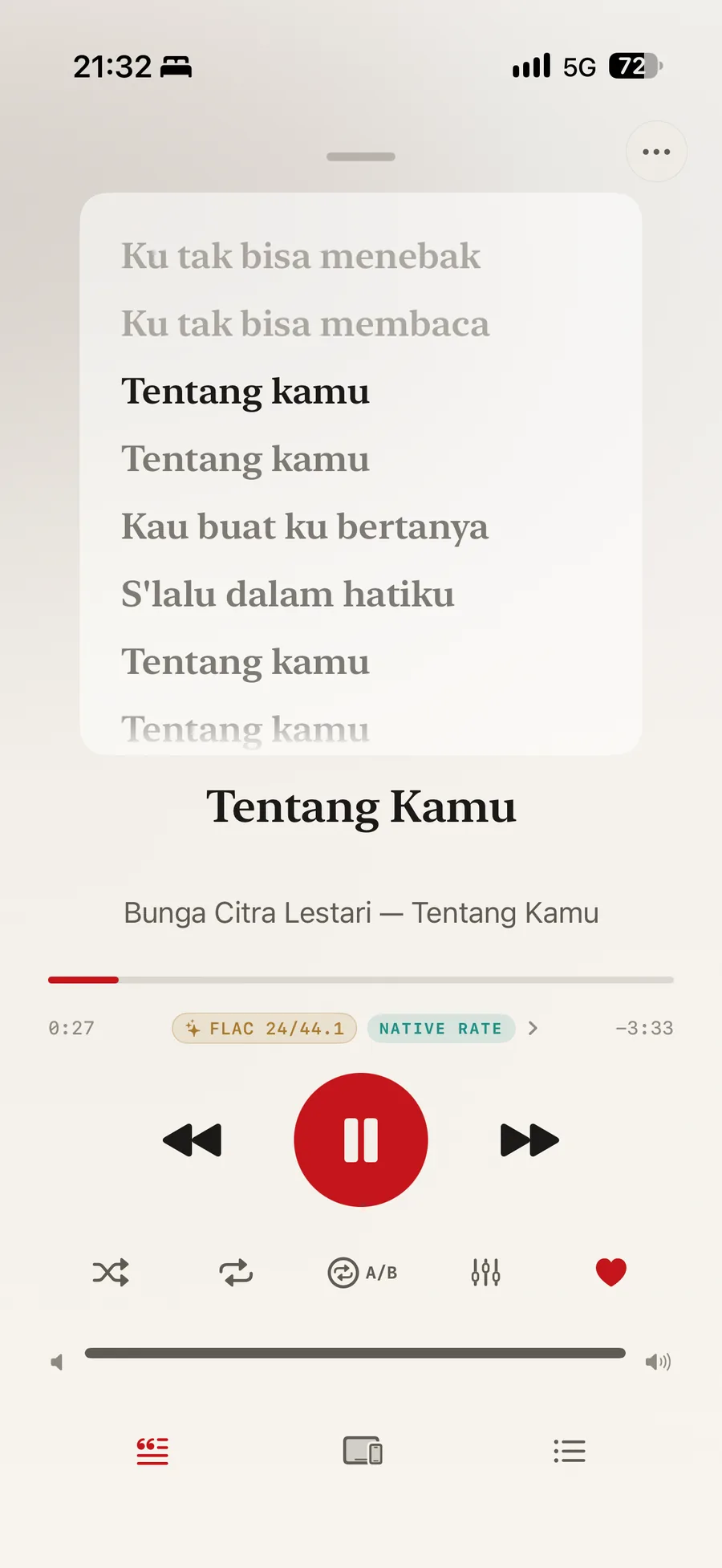
Synced lyrics in Isai over Tentang Kamu by Bunga Citra Lestari: the current line, Tentang kamu, held in bold with the lines before and after it dimmed, and chips below reading FLAC 24/44.1 and NATIVE RATE.
Lyrics, line by line — iPhone · warm paper

The Signal Path

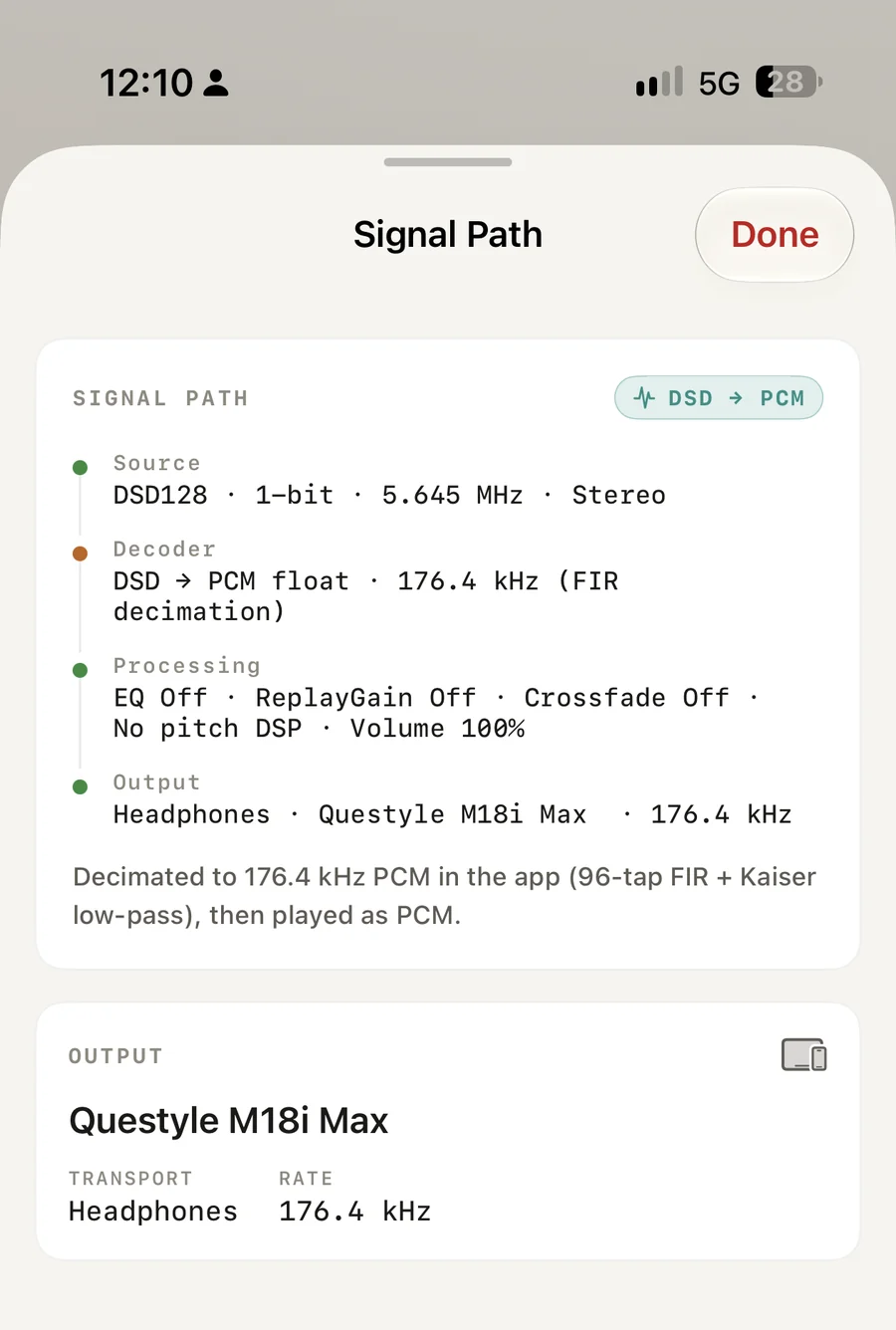
Tap the quality badge and Isai shows you what happened between the file and the output: the source, the decoder, any processing, the device it went to, and a verdict.

On the Mac, BIT PERFECT means exactly that. Isai can take exclusive access to your DAC, set its sample rate and word length to match the file, and then read the settings back from the hardware to check. It never guesses. If the equalizer is on, the verdict says so. If the samples were resampled, it says that too.

On iPhone and iPad, Isai asks for the file’s native rate on an external DAC and reports whatever the system gives it. Honest, even when the answer is not what you hoped for.

Signal Path DSD → PCM
  1. Source DSD128 · 1-bit · 5.645 MHz · Stereo
  2. Decoder DSD → PCM float · 176.4 kHz (FIR decimation)
  3. Processing EQ Off · ReplayGain Off · Crossfade Off · No pitch DSP · Volume 100%
  4. Output Headphones · Questyle M18i Max · 176.4 kHz

Decimated to 176.4 kHz PCM in the app (96-tap FIR + Kaiser low-pass), then played as PCM.

The Signal Path sheet in Isai: a chip reading DSD to PCM, then four stages down the card — Source, DSD128, 1-bit, 5.645 MHz, stereo; Decoder, DSD to PCM float at 176.4 kHz by FIR decimation, marked amber; Processing, with EQ, ReplayGain and crossfade all off, no pitch DSP and volume at 100 per cent; and Output, headphones through a Questyle M18i Max at 176.4 kHz. A note underneath reads: decimated to 176.4 kHz PCM in the app, 96-tap FIR plus Kaiser low-pass, then played as PCM.
The same sheet, on the phone · warm paper

One library, every device

Add a source on your iPhone and it appears on your Mac.

Favourites, playlists, play history and where you stopped in a track all travel through iCloud. So does the library index itself: scan a source once and your other devices pick up the albums without reading a single file again.

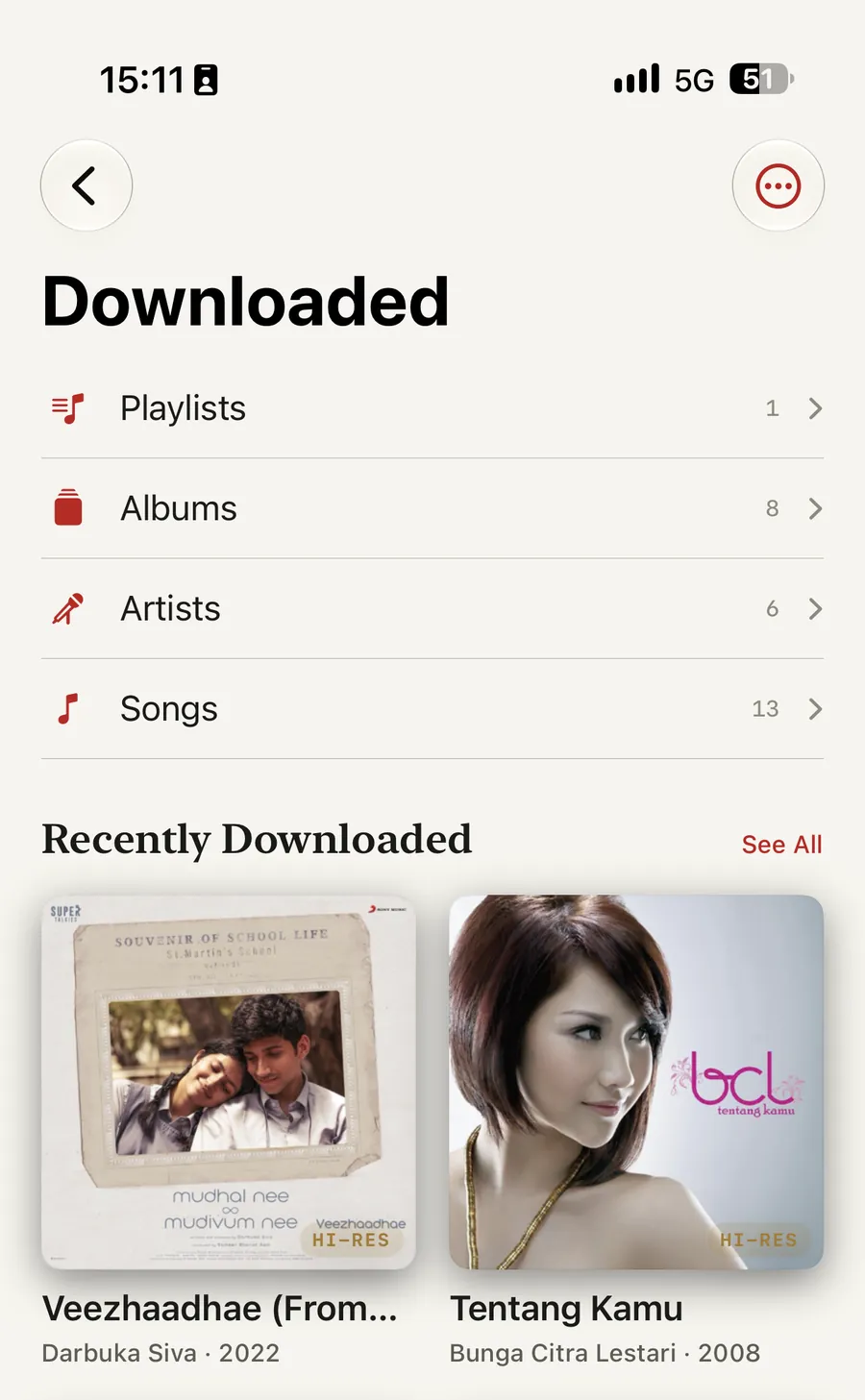
Downloads keep the original bytes, run in the background, and wait for Wi-Fi if you tell them to.

Isai’s Downloaded screen on iPhone: rows for Playlists, Albums, Artists and Songs carrying counts of 1, 8, 6 and 13, then a Recently Downloaded grid with Veezhaadhae by Darbuka Siva and Tentang Kamu by Bunga Citra Lestari, both badged HI-RES.
Downloaded, in the original bytes — iPhone · warm paper

Play on

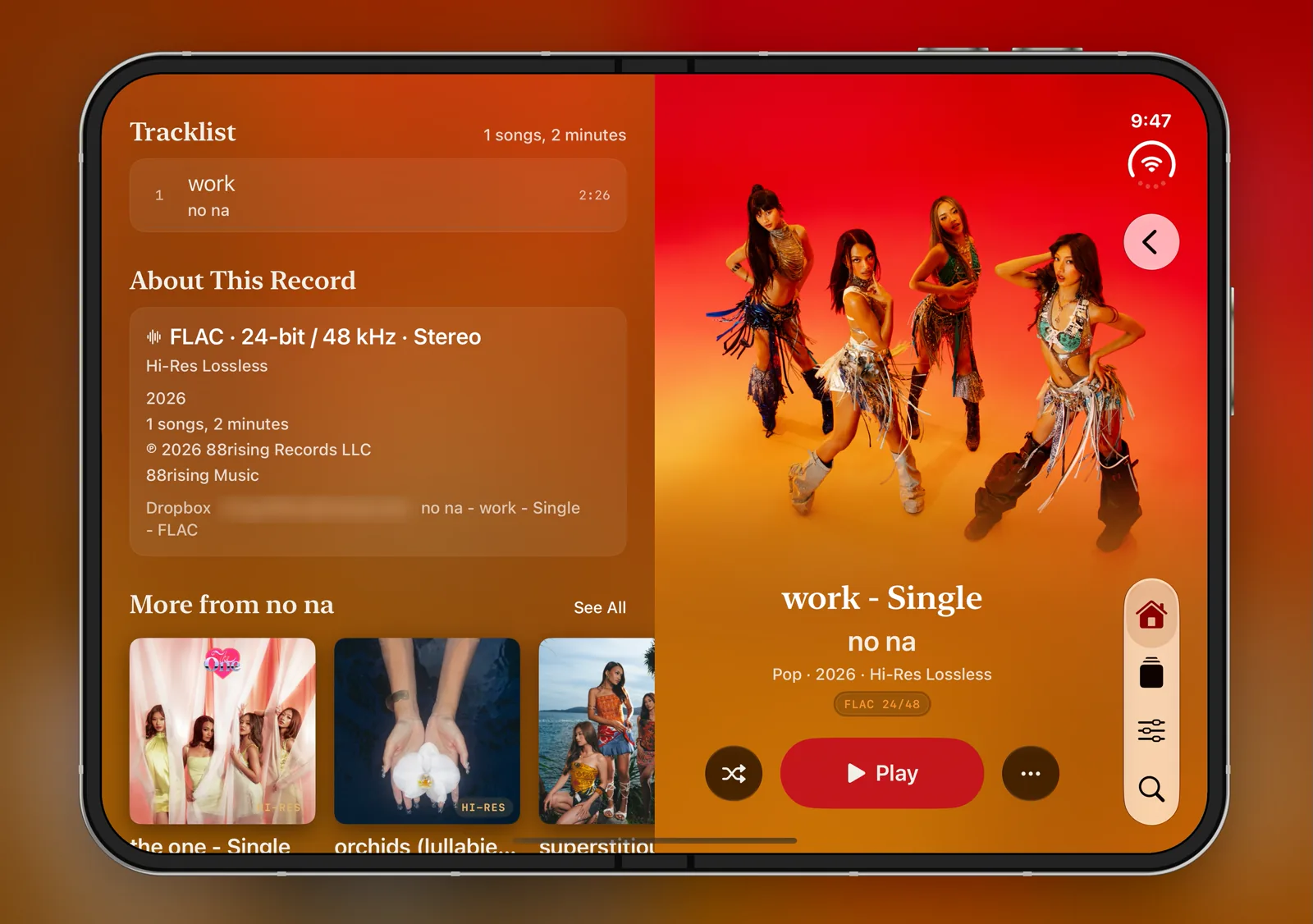
Two copies of Isai on the same Wi-Fi can drive each other.

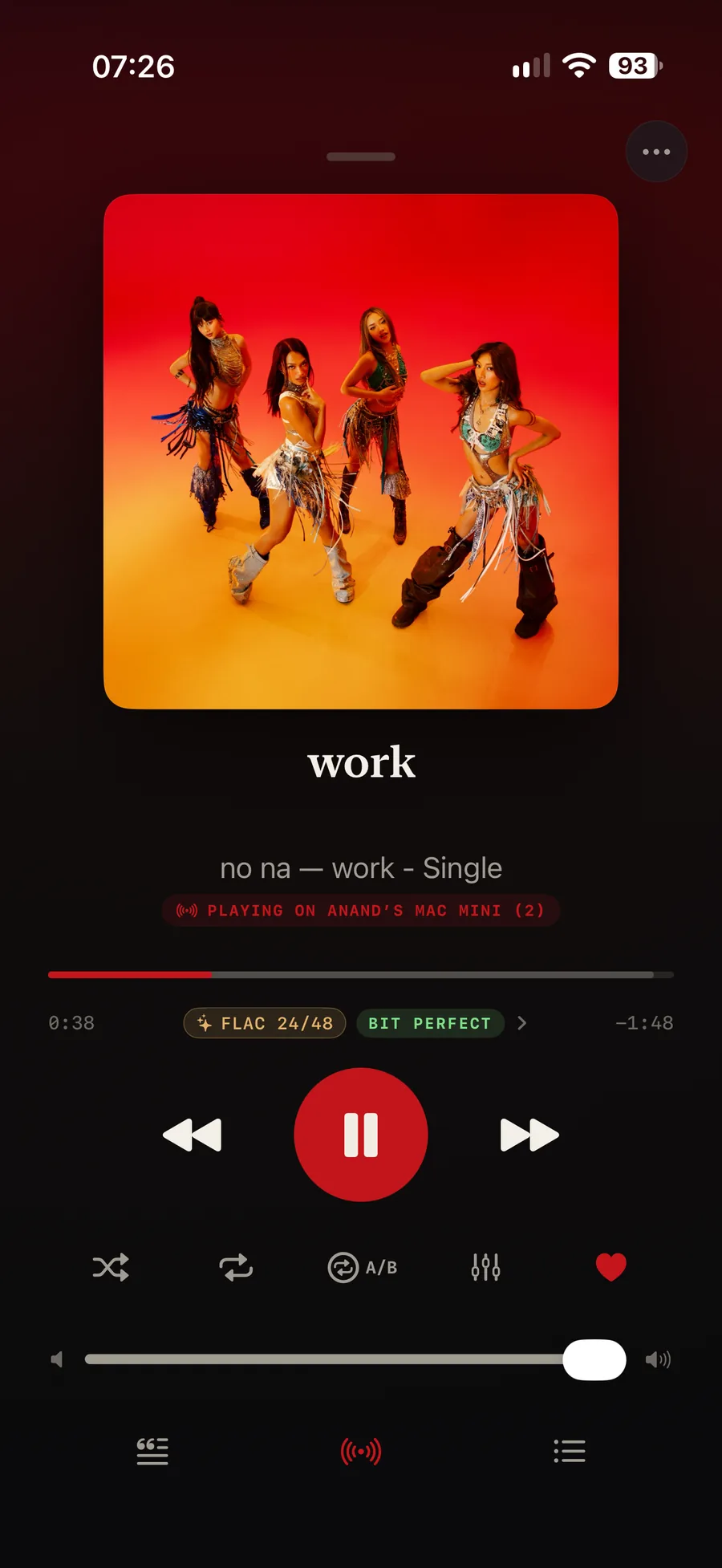
Sit on the sofa with your phone and play through the Mac that is wired to the good DAC. The queue, the position and even the Signal Path follow the device that is making the sound — which is how a phone comes to be showing you a BIT PERFECT verdict it is not producing.

Nothing leaves your network and there is no account to create. Your own devices recognise each other through your Apple Account; anything else has to be let in by hand, with a code shown on both screens.

Isai on an iPhone driving another machine: under the track work by no na, a red banner reads PLAYING ON ANAND’S MAC MINI, with chips below it reading FLAC 24/48 and BIT PERFECT, and the Play On icon lit red in the toolbar at the foot of the screen.
The phone, driving the Mac — iPhone · OLED black

Also

  • A ten-band equalizer with presets you can fork and rename.
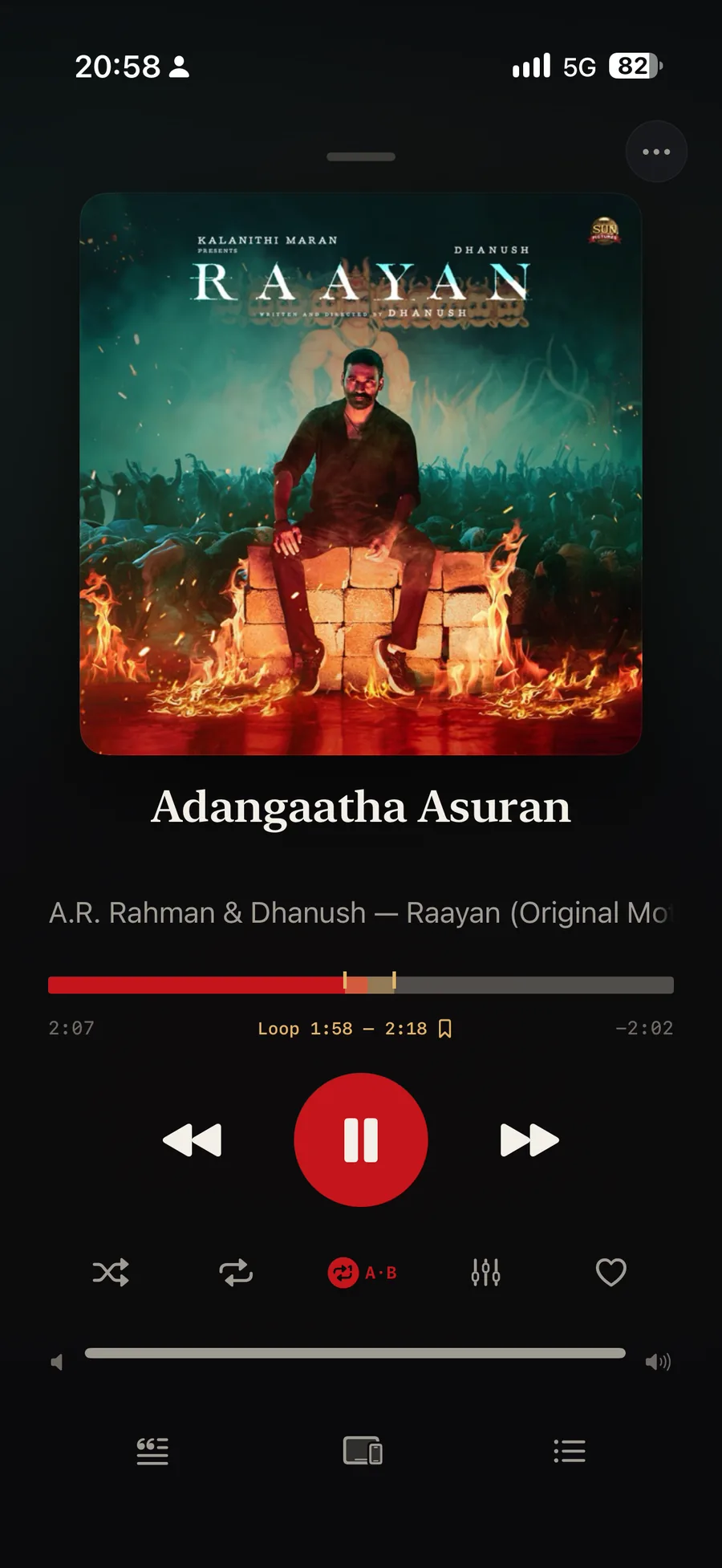
  • An A/B loop for the sixteen bars you are learning, or the cymbal decay you are judging a cable on, with saved loops that play one after another.
  • Animated covers when a label ships them.
  • A warm-paper light theme and an OLED-black dark one.
An A/B loop running in Isai over Adangaatha Asuran from Raayan: the progress bar carries a marked region between 1:58 and 2:18, the readout under it reads Loop 1:58 to 2:18 beside a bookmark, and the A/B button is lit red.
A twenty-second loop, saved — iPhone · OLED black

A/B loop Loop 1:58 — 2:18

Privacy

No accounts. No ads. No analytics. No servers of ours.

Provider credentials go to your iCloud Keychain; your library index stays in your own iCloud container. We never see any of it.

Read the full Privacy Policy →

Isai Pro

Isai is free for the music already on your device.

One purchase, made once, unlocks cloud sources — MEGA, Dropbox and WebDAV — and Play On, and it follows your Apple Account to every device you sign in on.

One-time purchase — $9.99

Bring your own storage. iPhone, iPad and Mac.

Isai isn’t out yet

It is in development at ARRcade and headed for the App Store on iPhone, iPad and Mac. There is no release date to announce yet. When it ships, this page becomes the download page.

Coming soon to the App Store Tell us what your collection needs →