Coming soon
Tiny Brains
Play with AI. Understand it.
Tiny Brains is a game for anyone curious about how AI works. You play with an AI that runs on your own iPhone or iPad, and find out for yourself what it does well and where it gets things wrong.
iPhone · iPad · No account
The game
Every mission starts with a guess.
You say what you think the AI will do, then you try it and see.
A mission takes a few minutes. You look at something small, like a message to rewrite or a pile of pictures to sort, and make your guess before the AI answers.
Then you try it, look at what came back, and work out why. You finish with a star, and Bit tells you what you just learned.
The worlds
Seven worlds to play through.
Start Here and AI Explorer are free. The other five come with Tiny Brains Unlimited.
Start Here
Where everyone starts. In six quick games, Bit shows you what a model, a prompt and a token are, and how an AI can sound right and still be wrong. On iOS 27 you can also see how the AI on your device describes a picture.
AI Explorer
You work out what counts as AI, how a model is different from a person, and how a computer can pick up a pattern.
Prompt Playground
An AI only knows what you tell it. You fix vague prompts, add the detail that was missing, and see how much one small change in wording changes the answer.
Pattern Trainer
You teach a small learner by showing it examples, then watch what it picks up. Sometimes it learns the wrong thing from your examples, and you find out why.
AI Detective
An AI can sound sure and still be wrong. You hunt for mistakes, made-up facts and answers that are more confident than they should be, and check them against the evidence.
Creative Lab
You write stories and make characters together with the AI, and choose where the story goes next. When you like what you made, you can save it.
AI Master
The last world is about using AI well. You judge what is fair, decide when a person should stay in charge, try to break a prompt, and explain why an AI failed.
What you get
Made to be played by anyone.
Start where you are
Choose Beginner, Intermediate or Advanced when you begin. You can switch whenever you like, and each level keeps its own stars.
Easy for a child to use
Turns on larger text and reads missions aloud. A parent gate sits in front of settings and purchases, so a grown-up stays in charge.
The AI stays on your iPhone or iPad
Tiny Brains uses Apple Intelligence on the device. There is no account to make and no server, so what you type never leaves your phone or tablet.
Still plays
If your device can't run Apple Intelligence, or it is switched off, every mission still plays with example answers we wrote. They are labelled “Example answer”, and what the AI writes is labelled “Made by AI on your device”, so you always know which is which.
Words in plain language
The Word Book explains 18 words you'll meet, like model, prompt and token, written for the level you play at. Tap a marked word in a mission to open it. It is free for everyone.
Show the AI a picture
On iOS 27, on an iPhone or iPad with Apple Intelligence, you can pick a photo of a pet, a thing or a place and see what the AI on your device says about it. It is optional and never scored. Pictures you choose are described on your device, never sent anywhere, and never saved. Photos of people aren't described, and in child-safe mode only the pictures that come with the game are used.
Bit
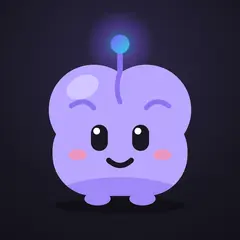
Bit is a small lilac brain with a glowing antenna. He is with you in every mission, explains what just happened, and cheers when you earn a star.
Keep what you make
Finish a Creative Lab mission and tap Save to keep the story or character you made with the AI. Your projects are stored on your device and nobody else sees them.
For teachers
If your school uses managed Apple Accounts, a teacher can assign a mission and follow progress in Apple's Schoolwork app. Only stars, progress and time are shared. What students type stays on the device.
Coming soon
Tiny Brains is on its way
It is still in development for iPhone and iPad and isn't on the App Store yet. When it is, the download button will be right here.
Coming soon to the App StoreStart Here and AI Explorer are free.
Questions
Frequently asked.
What is Tiny Brains?
A game for iPhone and iPad that teaches how AI works by letting you play with it. You guess what the AI will do, try it, and work out why it did what it did.
Who is it for?
Anyone, at any age. Pick the level that suits you when you start, and change it whenever you like. If a child is playing, turn on child-safe mode for larger text, read-aloud and a parent gate.
Do I need an account?
No. There is no account and no server. The AI runs on your device, and your progress and saved projects stay there too.
What if my iPhone or iPad can't run Apple Intelligence?
You can still play every mission. Tiny Brains uses example answers that we wrote, and it labels them so you know they weren't written by an AI.
What is free?
Start Here and AI Explorer are free. The other five worlds come with Tiny Brains Unlimited, and we'll share the details when the app is out.
Does Tiny Brains see my photos?
Only a picture you pick yourself, and only on iOS 27 with Apple Intelligence. It is described on your device, never sent anywhere and never saved, and Tiny Brains asks for no camera or photo library permission.
When can I get it?
Soon. It is in development and not on the App Store yet.
Something not working?
Write to us and tell us what happened. We read everything and reply within 2 business days.
Nothing leaves your device
Tiny Brains has no account and no server. The AI runs on your iPhone or iPad, and your progress and projects stay there. Pictures you choose are described on your device, never sent anywhere, and never saved.