

Whole Numbers
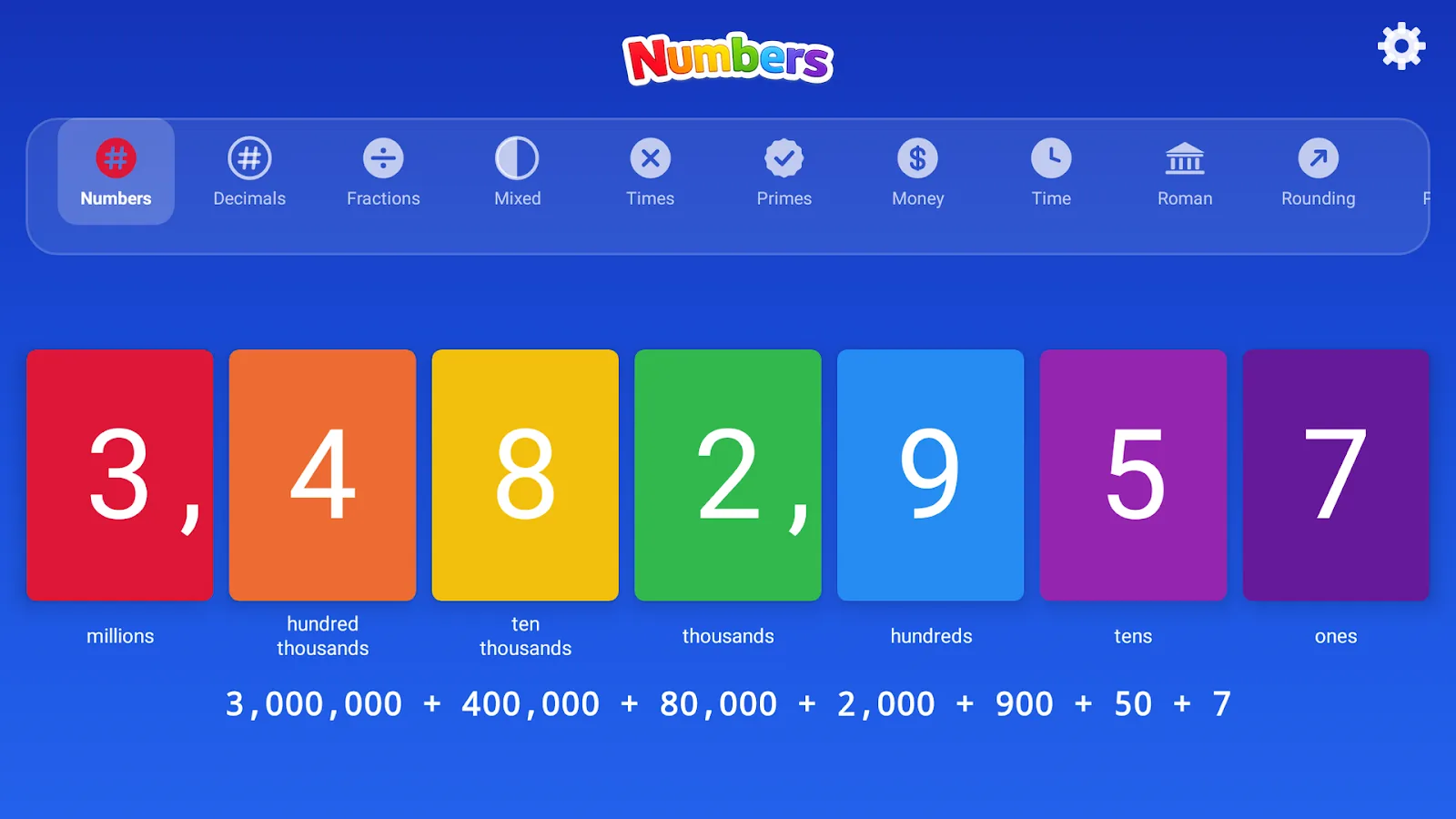
Place value from ones to millions with up to 7 cards and the expanded form underneath.
Try it here
This is the Whole Numbers mode, running right in your browser. Change any card and watch the expanded form follow along.
The app has 19 more modes like this one, all built from the same flip cards.
20 learning modes
Every mode lays a concept out as a row of linked cards, so changing one shows how the others respond. Version 1.8 groups them in the mode strip and adds a full mode picker.
Place value from ones to millions with up to 7 cards and the expanded form underneath.
Thousands down to thousandths, with a visual decimal point and an expanded-form row.
Put two numbers side by side and decide which is greater, smaller or equal.
Round 0 to 9999 to the nearest 10, 100 or 1000, with a rule card that explains why.
Explore which numbers are prime and which are not.
Any number from 1 to 3999, broken down by thousands, hundreds, tens and ones.
Addition and subtraction laid out as cards you can change one at a time.
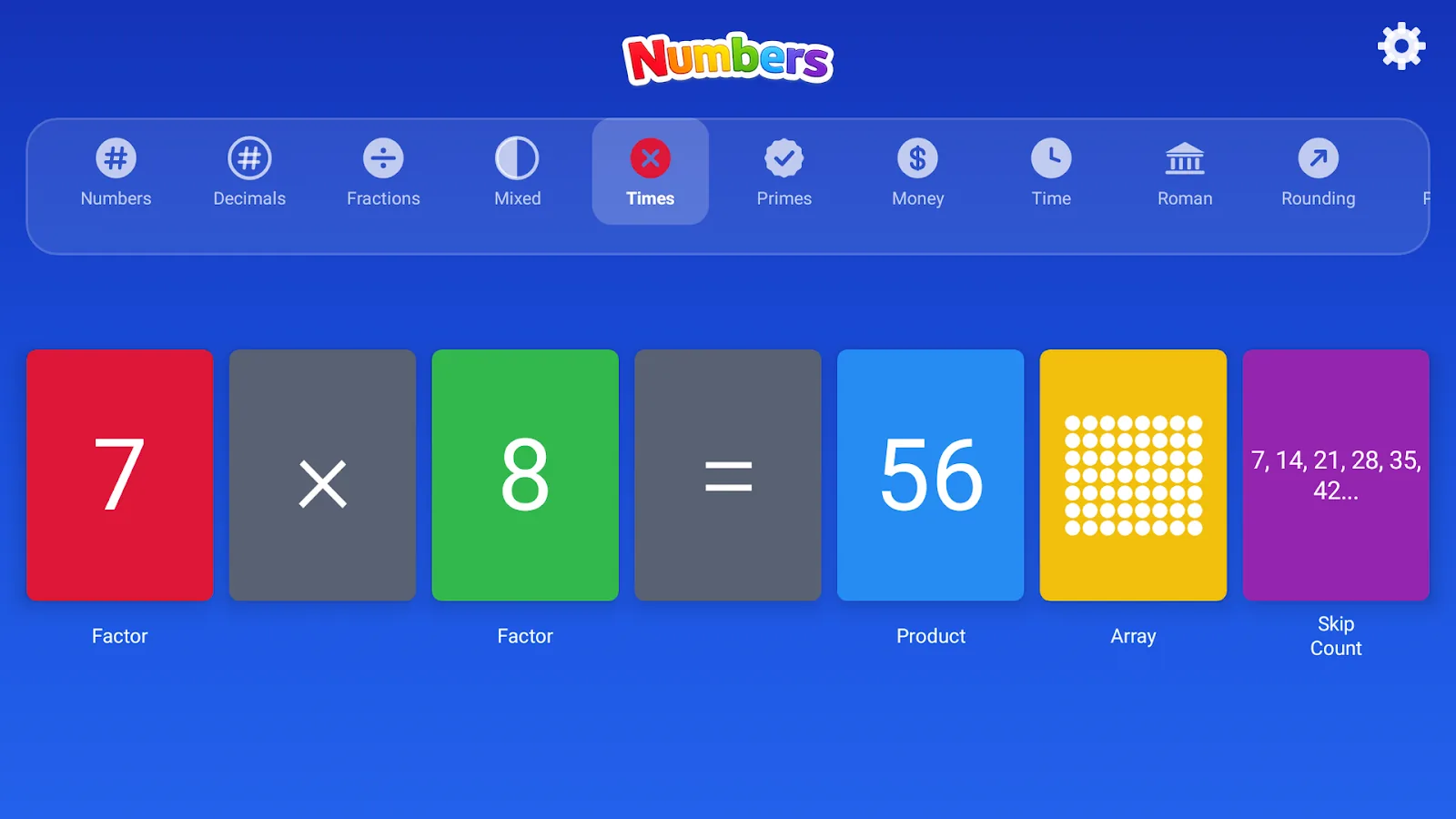
Times tables from 1 to 12 with dot arrays and skip-counting sequences.
Division set out card by card, the other side of the times tables.
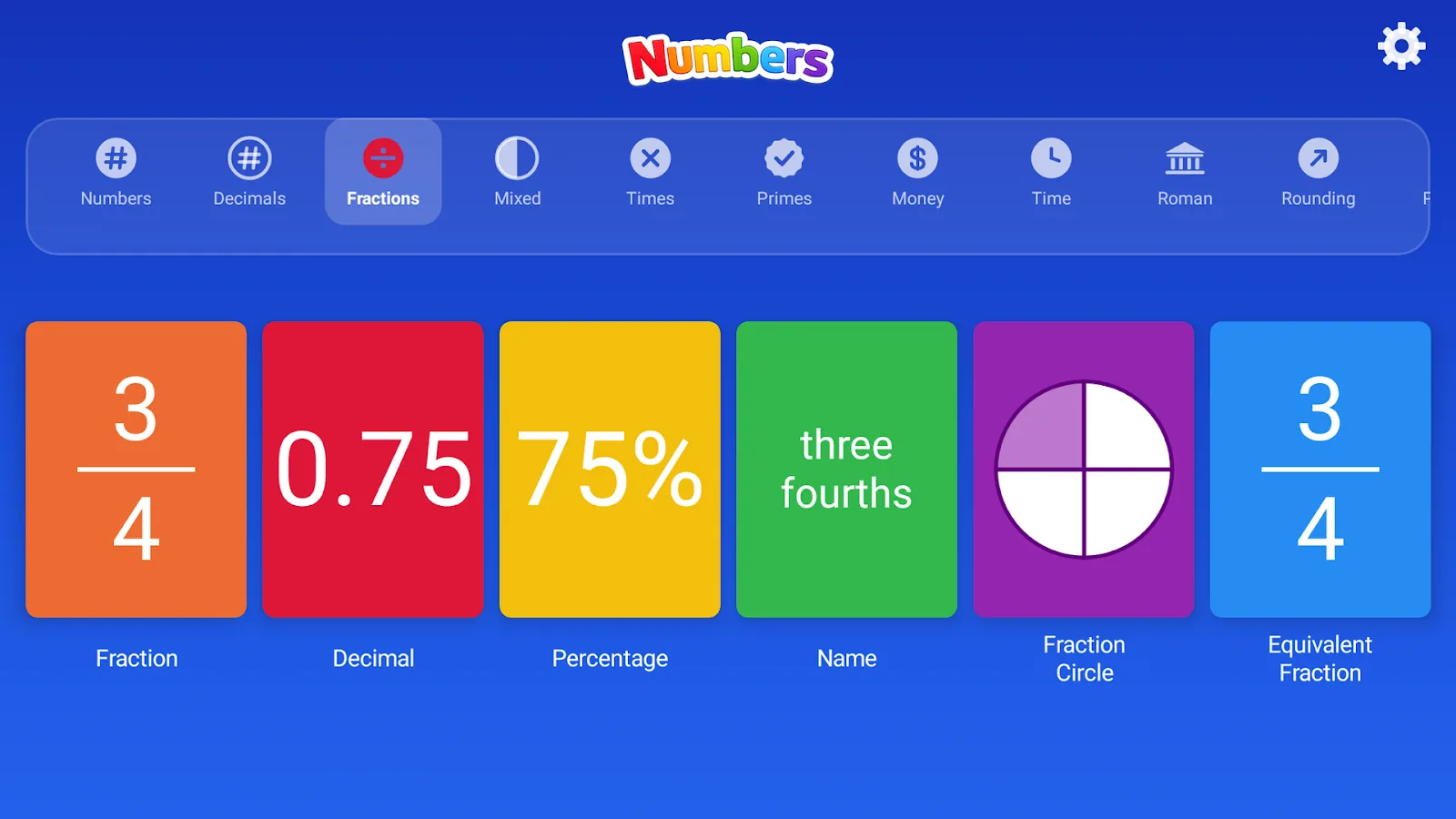
Six linked cards: fraction, decimal, percentage, name, pie chart and an equivalent fraction.
Move between improper fractions and mixed numbers, with wholes and remainders side by side.
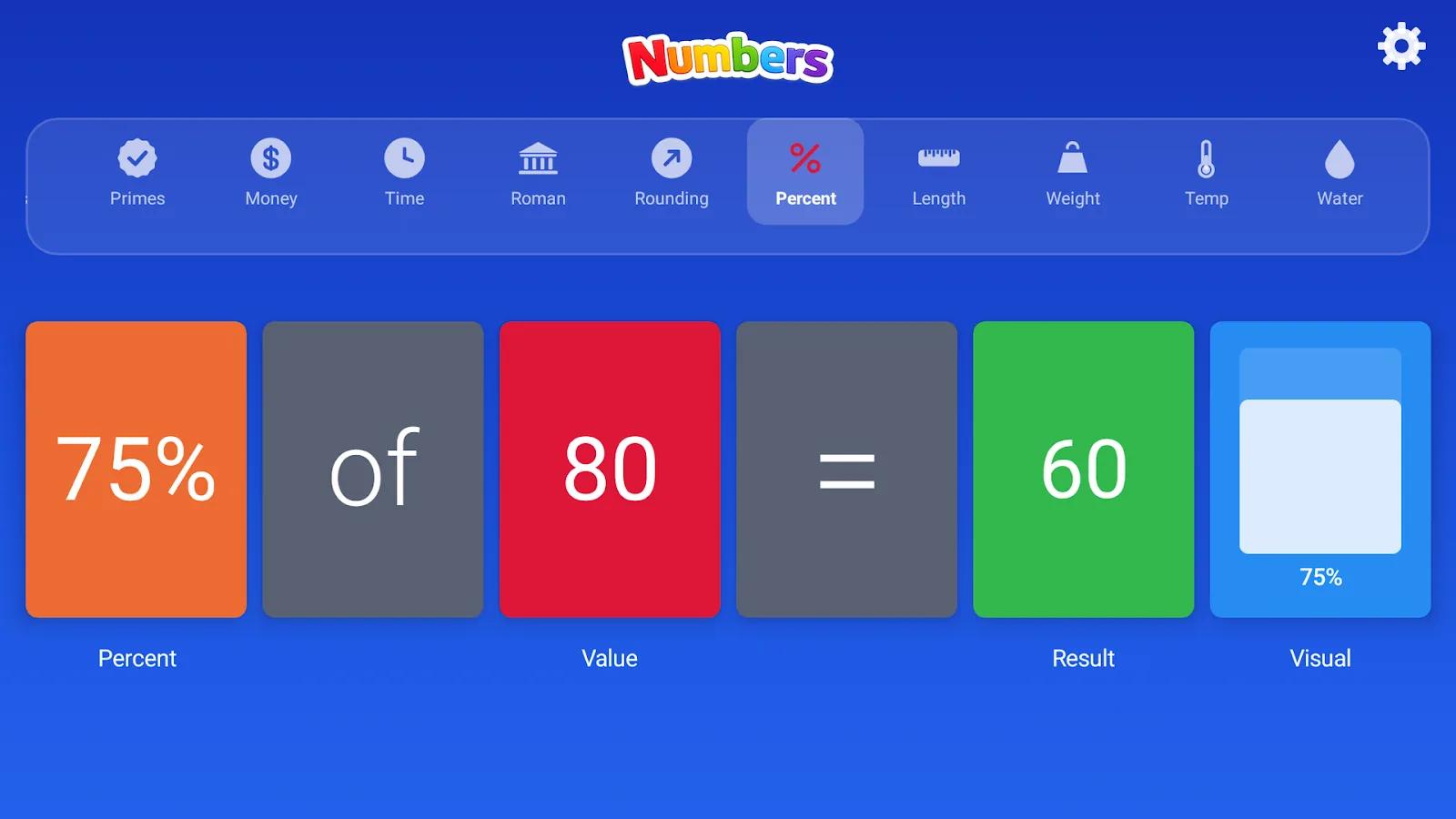
Find a percentage of any number, laid out as an equation with a bar showing the proportion.
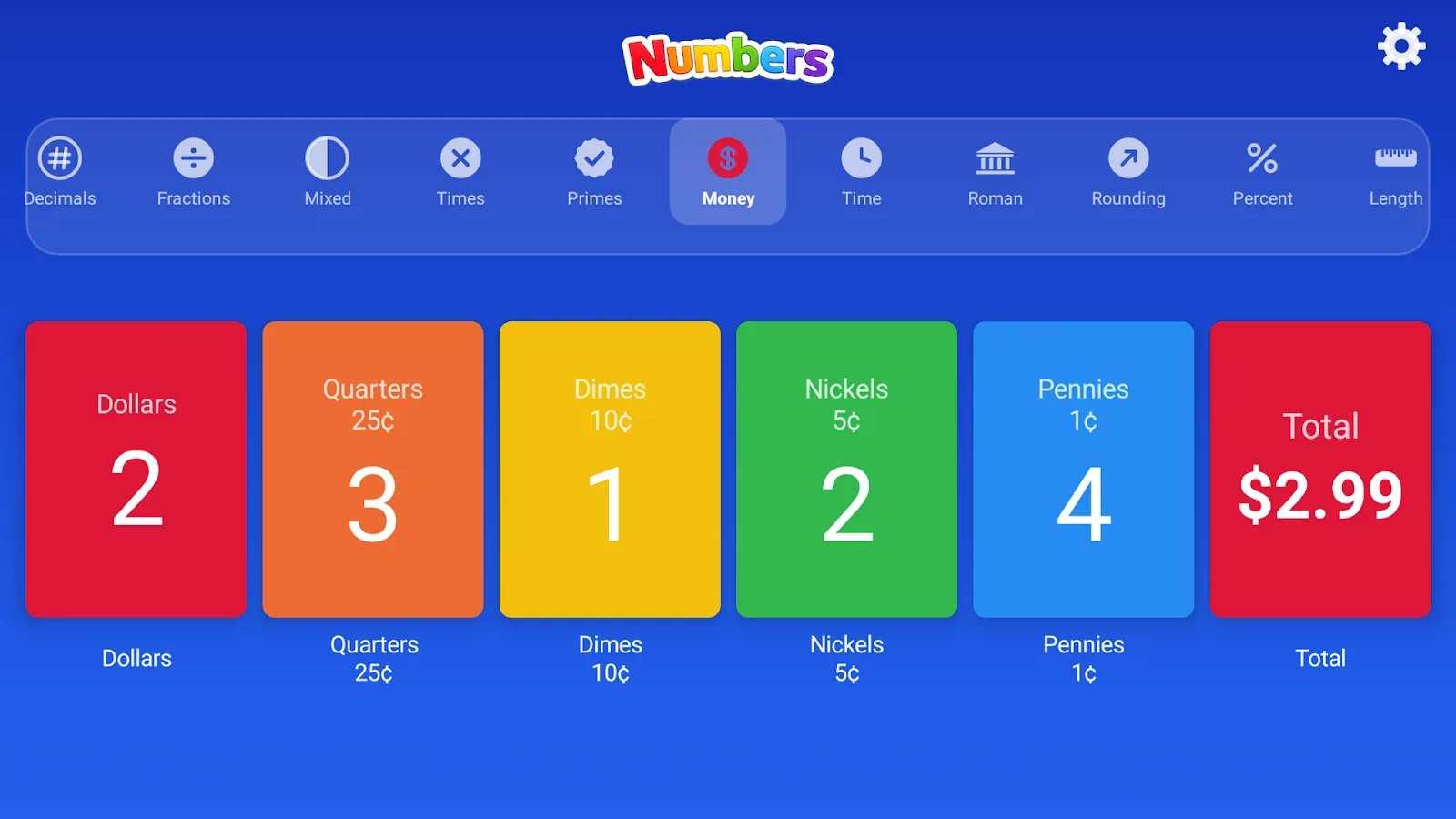
Count dollars, pounds, euros and rupees in coins and notes, with the total updating as you go.
Analog and digital clocks together, in 5-minute steps with hour and AM/PM rollover.
Work out how much time passes between a start and an end time.
Convert between centimetres, metres, kilometres and miles.
Convert between grams and kilograms.
Convert between millilitres and litres.
See how length and width make up the area of a shape.
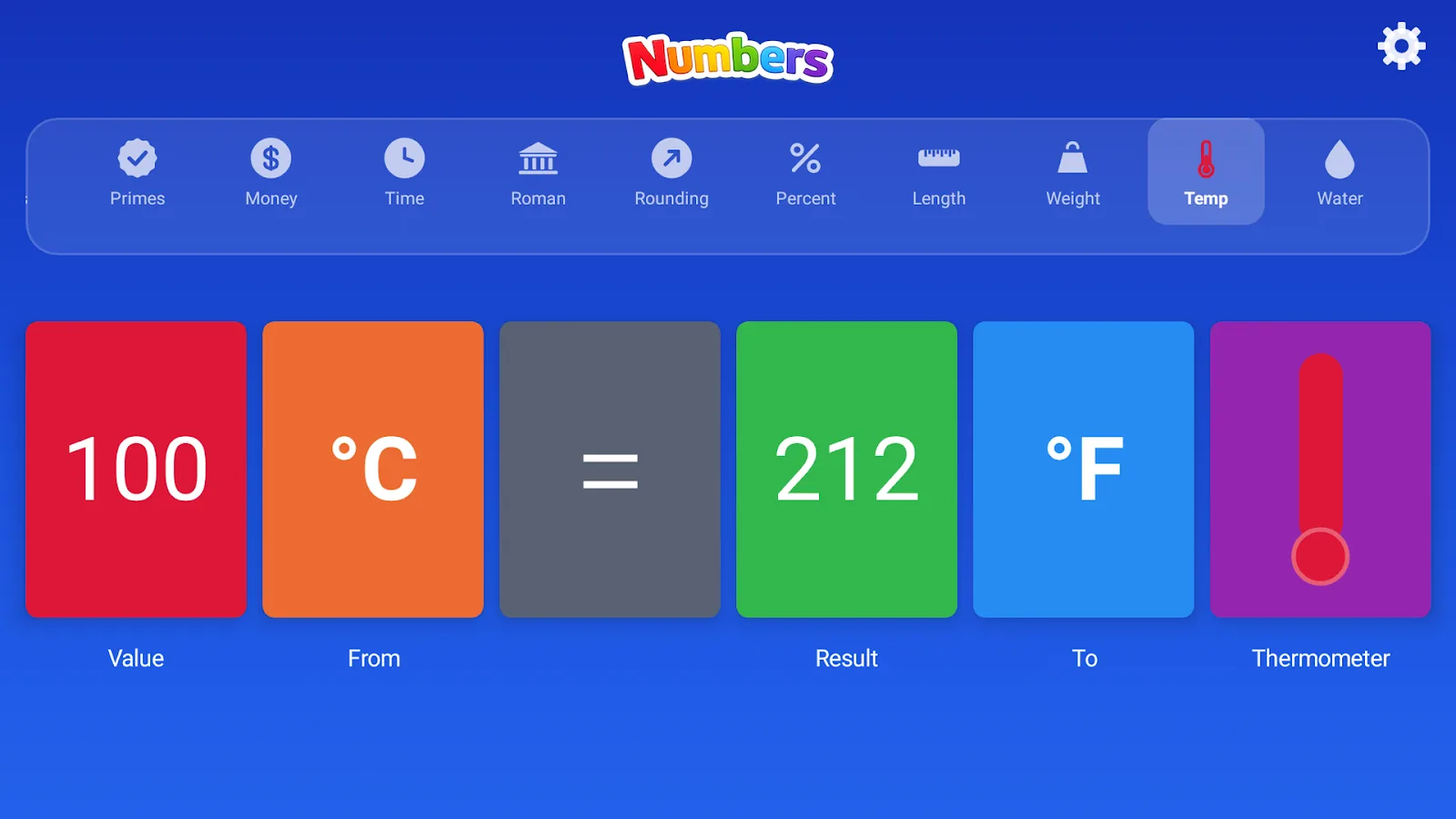
Celsius and Fahrenheit with a thermometer that changes colour as it warms up.
For schools
Numbers supports ClassKit, so it works with Apple’s Schoolwork app. Teachers assign activities, students jump straight in, and progress comes back to the teacher, while the app itself collects no data.
Assign Numbers activities as Schoolwork handouts. Students tap the handout and land in the right place, and their time and progress show up in Schoolwork.
Buy licences in bulk in Apple School Manager under Apps and Books, assign them to iPads or Managed Apple Accounts with your MDM, and reclaim them at the end of the year.
No accounts, ads, in-app purchases, analytics or third-party SDKs, and no internet needed. Built to meet COPPA, GDPR rules for children and the Google Play Families Policy.
Big, high-contrast cards read from the back of the room. Mirror an iPad to the board, build a number together, then hand out the same activity in Schoolwork.
The same 20 modes on iPad and iPhone, on Android tablets through Google Play, and through the Amazon Appstore.
From counting and place value to percentages and unit conversions, with modes that line up with Common Core standards (see below).
Running Android tablets, or need an invoice or a quote for a district? Email us about Numbers for schools.
Curriculum
How each mode lines up with the Common Core State Standards for Mathematics. Use it to pick the right mode for a lesson or a Schoolwork handout.
| Topic | Mode | Grade | Common Core |
|---|---|---|---|
| Place value to 1,000 and expanded form | Whole Numbers | 2 | 2.NBT.A.1, 2.NBT.A.3 |
| Multi-digit numbers in numerals, words and expanded form | Whole Numbers | 4 | 4.NBT.A.2 |
| Comparing numbers with >, = and < | Compare | 1–4 | 1.NBT.B.3, 2.NBT.A.4 |
| Adding and subtracting | Add & Subtract | 1–3 | 2.NBT.B.5, 3.NBT.A.2 |
| Rounding to the nearest 10, 100 or 1000 | Rounding | 3–4 | 3.NBT.A.1, 4.NBT.A.3 |
| Multiplication facts to 12 × 12, arrays and skip counting | Multiplication | 3 | 3.OA.A.1, 3.OA.C.7 |
| Division as the inverse of multiplication | Division | 3 | 3.OA.A.2, 3.OA.B.6 |
| Prime and composite numbers | Primes | 4 | 4.OA.B.4 |
| Fractions and equivalent fractions | Fractions | 3–4 | 3.NF.A.3, 4.NF.A.1 |
| Mixed numbers and improper fractions | Mixed Fractions | 4–5 | 4.NF.B.3 |
| Decimals to thousandths | Decimals | 4–5 | 4.NF.C.6, 5.NBT.A.3 |
| Percent of a quantity | Percentages | 6 | 6.RP.A.3 |
| Telling time to the nearest five minutes | Time | 2 | 2.MD.C.7 |
| Elapsed time | Elapsed Time | 3 | 3.MD.A.1 |
| Counting money in coins and notes | Money | 2 | 2.MD.C.8 |
| Area from length and width | Area | 3 | 3.MD.C.7 |
| Converting units of length, mass and volume | Length, Weight, Water Volume | 4–5 | 4.MD.A.1, 5.MD.A.1 |
| Roman numerals to 1000 | Roman Numerals | UK Years 4–5 | — |
| Celsius and Fahrenheit | Temperature | Enrichment | — |
Standards are listed as a planning guide. Numbers is an independent app and is not endorsed by the Common Core State Standards Initiative.
Screens
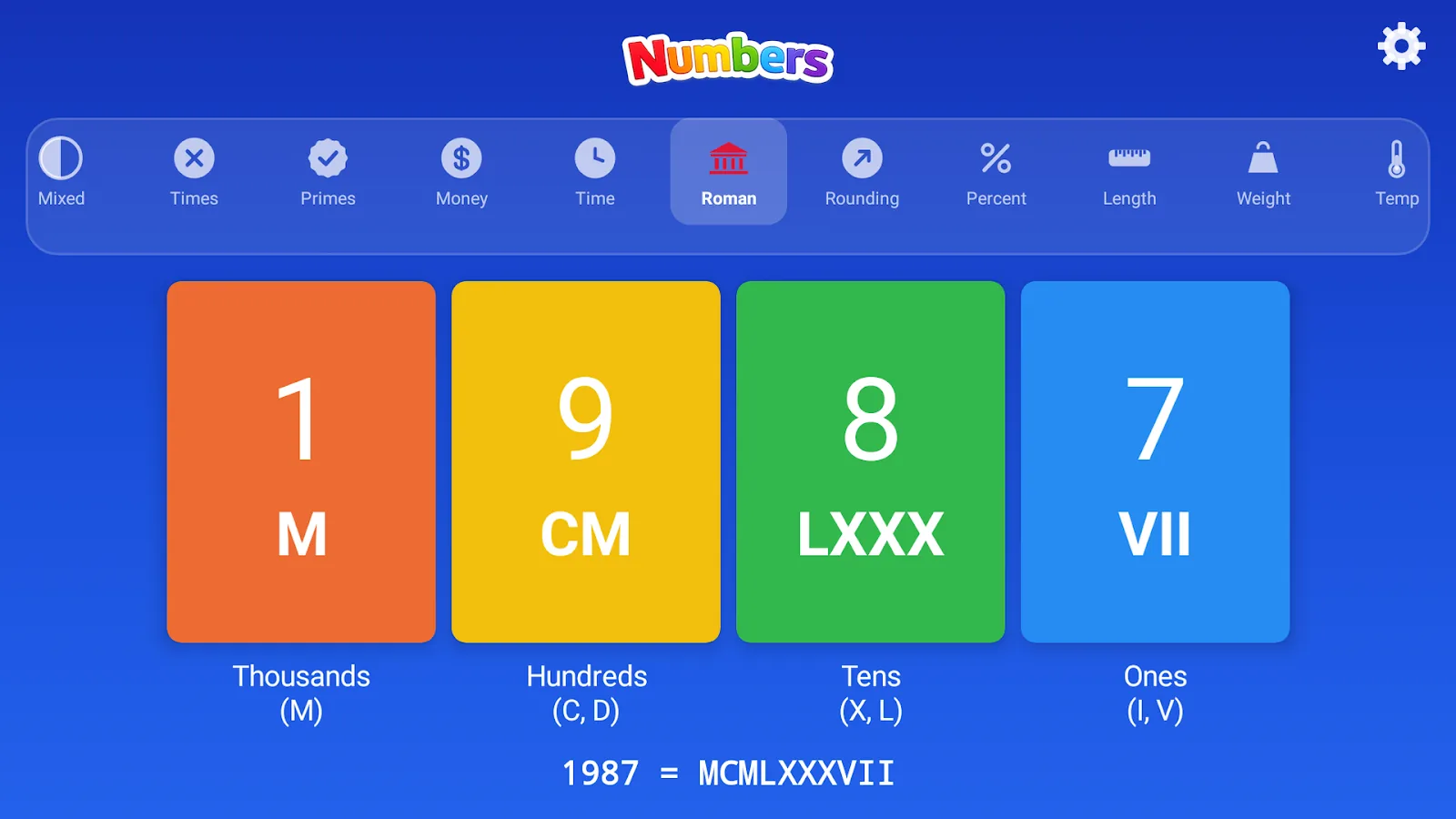
Made for small hands
Every card flips like an old station board, so each change is something children can see and feel happen.
Swipe up or down to change a value, tap to add one, double-tap to take one away. No menus to get lost in.
One tap reads the current cards aloud, for auditory learners and for children who are still learning to read.
Hide the answers in any mode, have a think, then tap to reveal. Practice and checking in one place.
Details
No accounts, no ads, no analytics and no third-party SDKs. Your child's progress never leaves the device.
Questions
A place value chart shows each digit of a number in its own column: ones, tens, hundreds, thousands and so on. In Numbers every column is a colour-coded card, so children can change one digit and see the value of the whole number, its expanded form and its name change with it.
Yes. Numbers supports ClassKit, so on school iPads with Managed Apple Accounts teachers can assign Numbers activities as Schoolwork handouts, students open straight into them, and their progress appears in Schoolwork for the teacher. This needs Student Progress turned on in Apple School Manager.
Yes. Schools can buy licences in volume in Apple School Manager under Apps and Books, then assign them to iPads or Managed Apple Accounts with their device management (MDM) system and reclaim them later. For Android fleets, or for questions about larger purchases, email anandrajramamoorthy@gmail.com.
No. Numbers has no accounts, ads, analytics or third-party SDKs and does not need the internet. The developer never receives any student data. When ClassKit is used, progress is shared only with the school through Apple’s Schoolwork app.
Numbers is rated 4+ and covers topics from kindergarten and grade 1 through grade 6, including place value, the four operations, primes, fractions, decimals, percentages, money, time, area and measurement conversions.
Its modes line up with Common Core State Standards for Mathematics such as 2.NBT.A.1 and 4.NBT.A.2 (place value and expanded form), 3.OA.C.7 (multiplication facts), 4.OA.B.4 (prime and composite numbers), 4.NF.A.1 (equivalent fractions), 5.NBT.A.3 (decimals to thousandths), 2.MD.C.7 (time) and 3.MD.C.7 (area).
Yes. Numbers is $2.99 on the App Store for iPhone and iPad, $2.99 on Google Play for Android, and $3.99 on the Amazon Appstore. It is a one-time purchase with no in-app purchases.
Yes. Every mode works without an internet connection, which makes it suitable for classrooms with limited Wi-Fi and for shared devices.