Reward Chart: Little Wins · iPhone
Do the little things. Win the big ones.
A reward chart your kids will want to open. You set the routines. They tick them off, grow a streak and earn gems for rewards you choose.
Free for 1 kid · Pro from $0.99 a month · No account · Formerly Tiny Streaks
In short
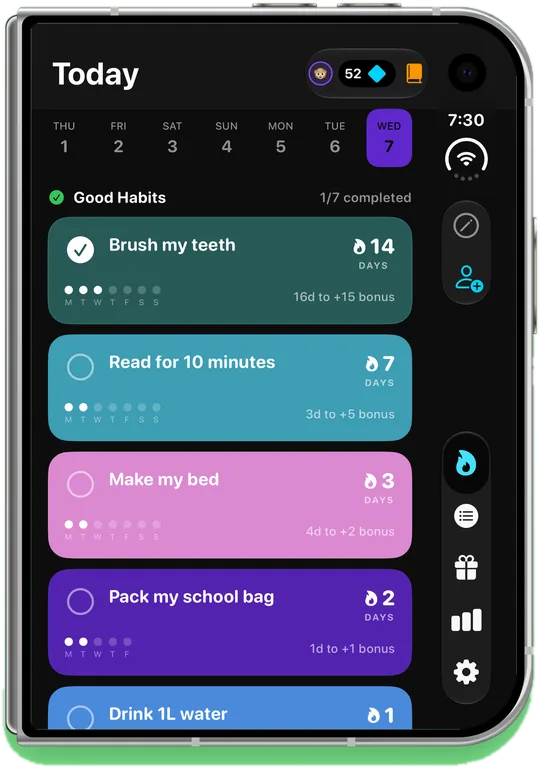
Reward Chart: Little Wins is an iPhone reward chart app for kids. Parents set daily activities such as brushing teeth, reading or homework. Kids tick them off to grow streaks and earn gems, then spend the gems on rewards the parent chooses, like screen time, treats or outings. Little Wins was previously called Tiny Streaks.
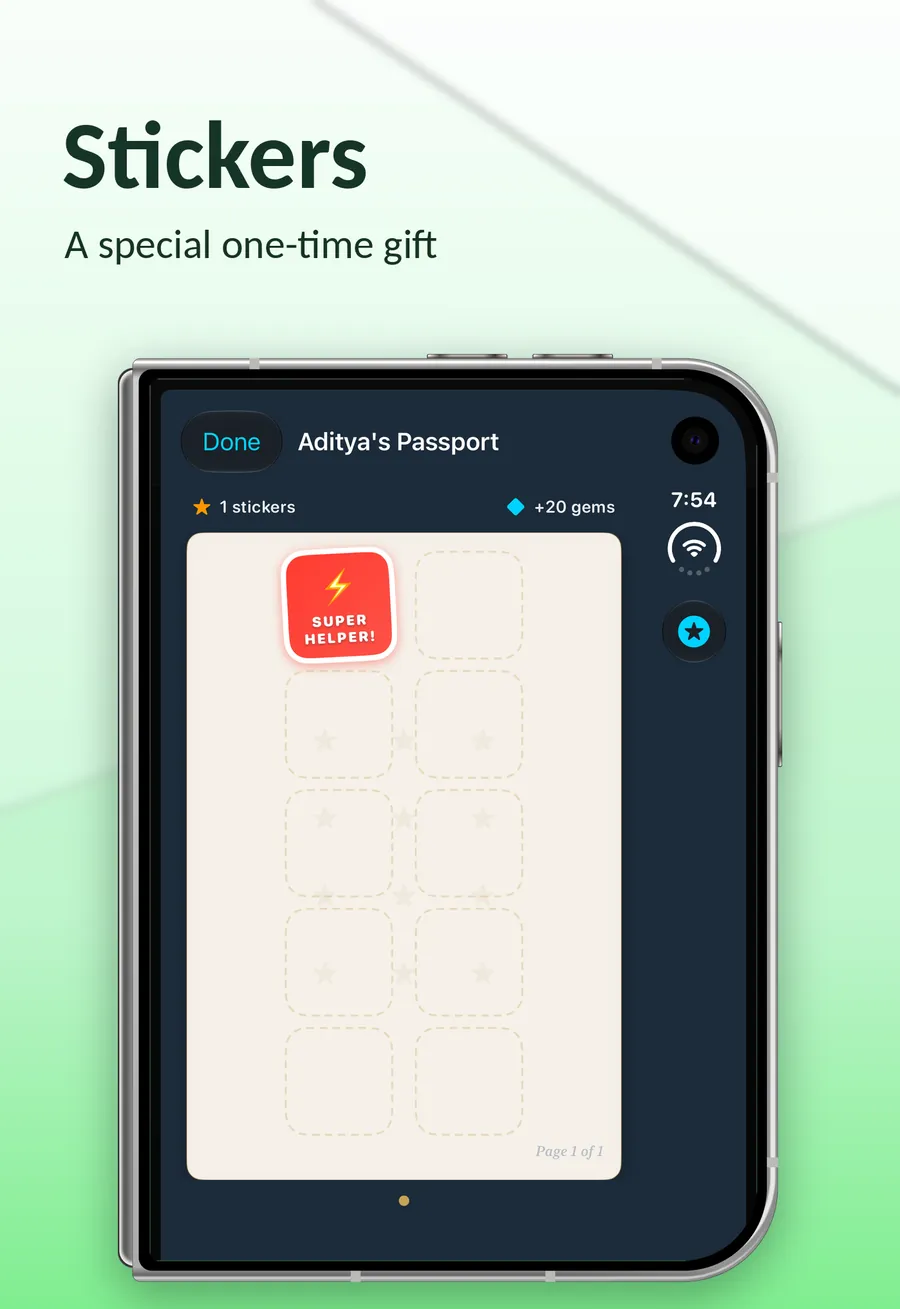
Little Wins is free with 1 kid, 3 activities and 2 rewards for each kid, and 1 passport sticker. Little Wins Pro adds every kid, more activities and rewards, full reports, Home Screen widgets and iCloud sync for $0.99 a month or $2.99 a year, each with a 1-week free trial, or $4.99 once for Lifetime. There is no account, no ads and no data collection.
Try it
Tick it off. Watch the gems add up.
This is Aditya’s Wednesday, with the same gem rules as the app. Tick off his four activities, see his streaks hit their milestones, and save up for Movie Night. Then try a slip-up.
Today
Aditya has 36 gems
Good Habits0/4 completed
Bad Habits2/2 avoided
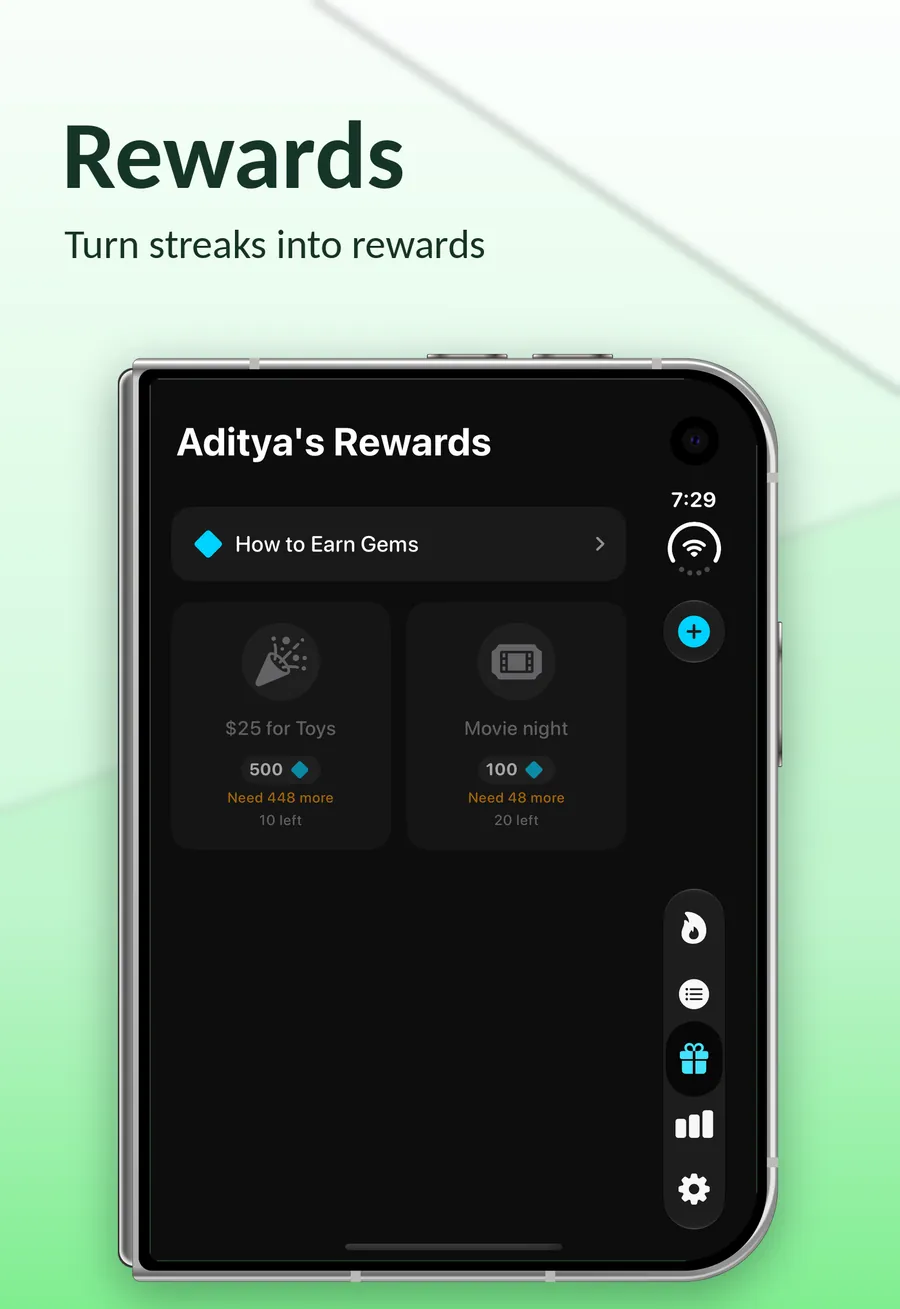
Aditya’s Rewards
Aditya’s family is on Pro. The free app holds 3 activities and 2 rewards.
Tap an activity to tick it off. Aditya has 36 gems; Movie Night costs 50.
Each activity earns a gem and grows its own streak.
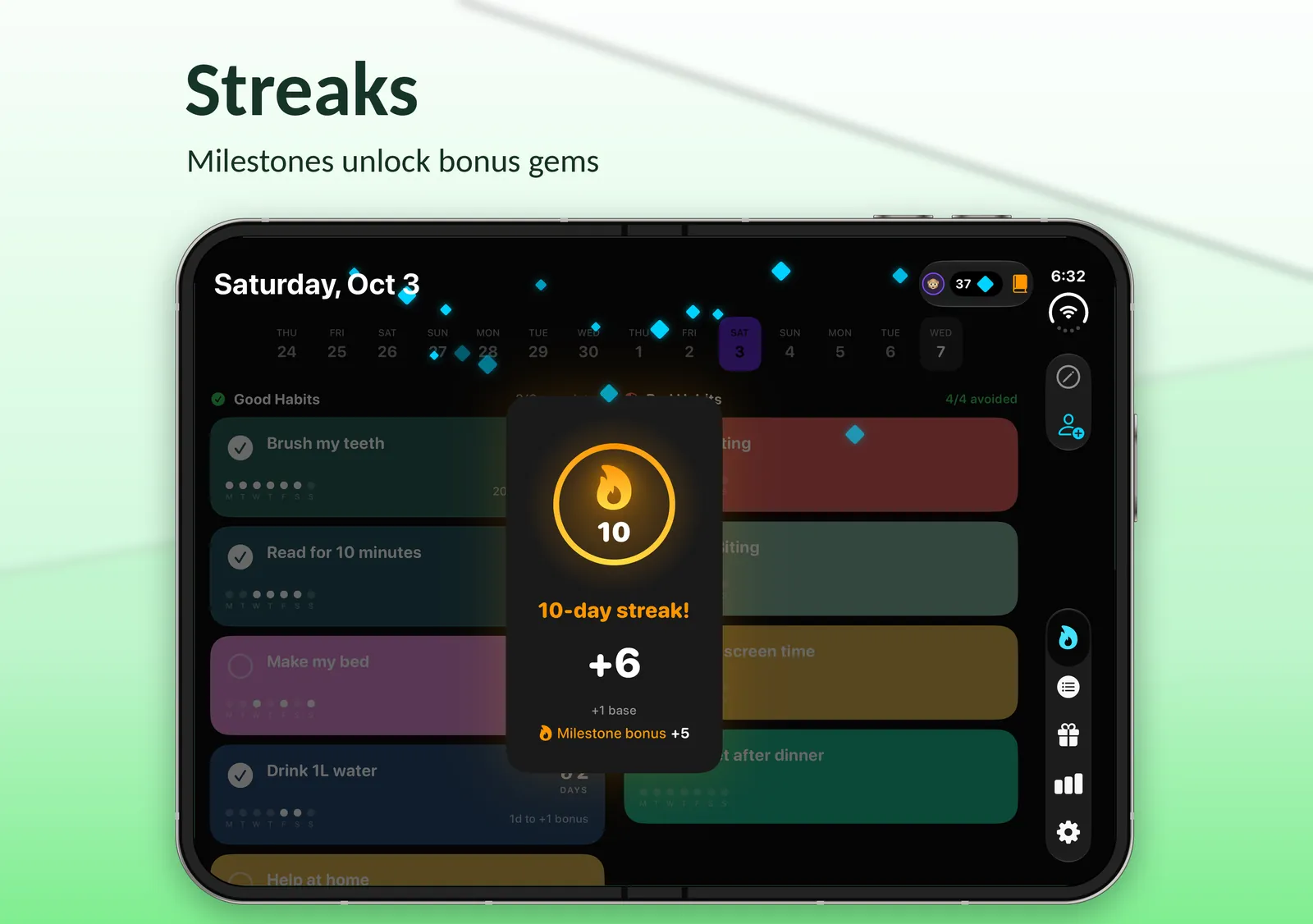
3, 7, 10, 30 and 50 days in a row unlock bonus gems.
On rewards you set, at the gem price you set.
How gems work
Clear rules. No arguing.
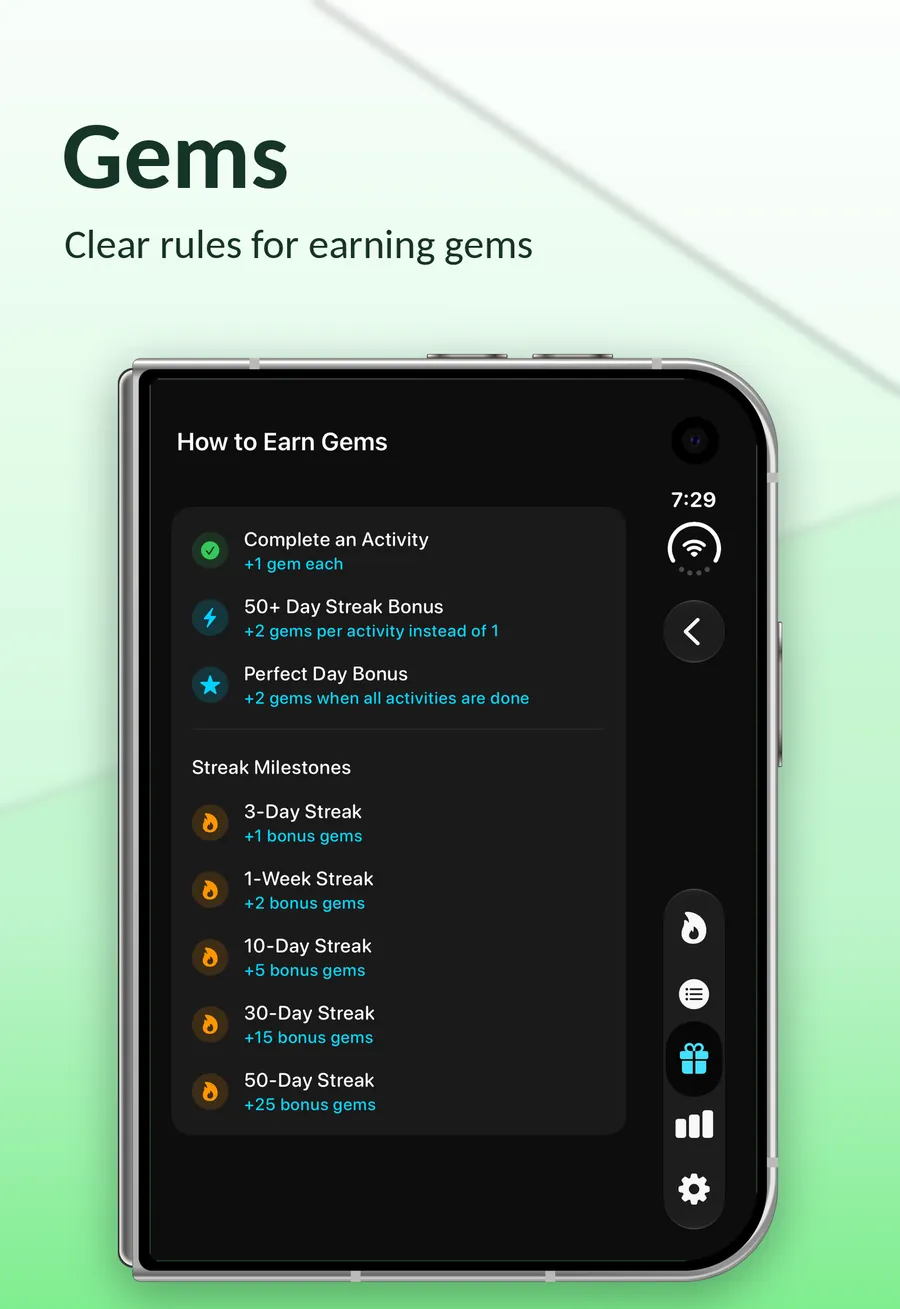
Kids know exactly what a tick is worth, and so do you. These are the rules from the How to Earn Gems screen in Little Wins, the same ones the chart above uses.
Earn
- Complete an activity+1 gem each
- 50+ day streak+2 per activity
- Perfect Day, every activity done+2 gems
Streak milestones
- 3-day streak+1 bonus
- 1-week streak+2 bonus
- 10-day streak+5 bonus
- 30-day streak+15 bonus
- 50-day streak+25 bonus
Lose
- Bad habit slip-up−1 gem
Good habits and bad ones
Build good habits. Break bad ones too.
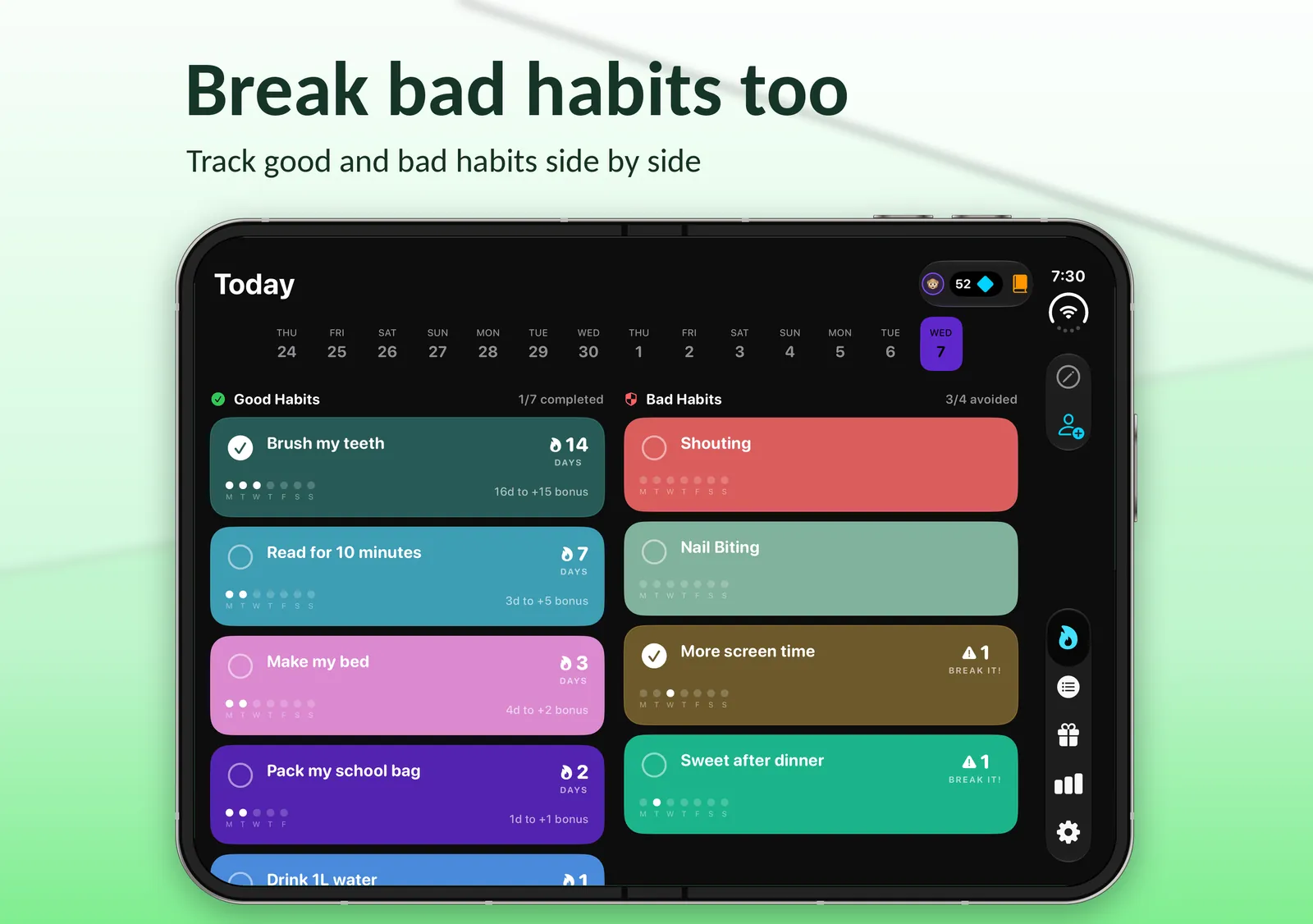
Good habits and bad habits sit side by side on the Today screen. Ticking off a good one earns gems. Avoiding a bad one keeps the count clean, and a slip-up costs a gem.
Good habits
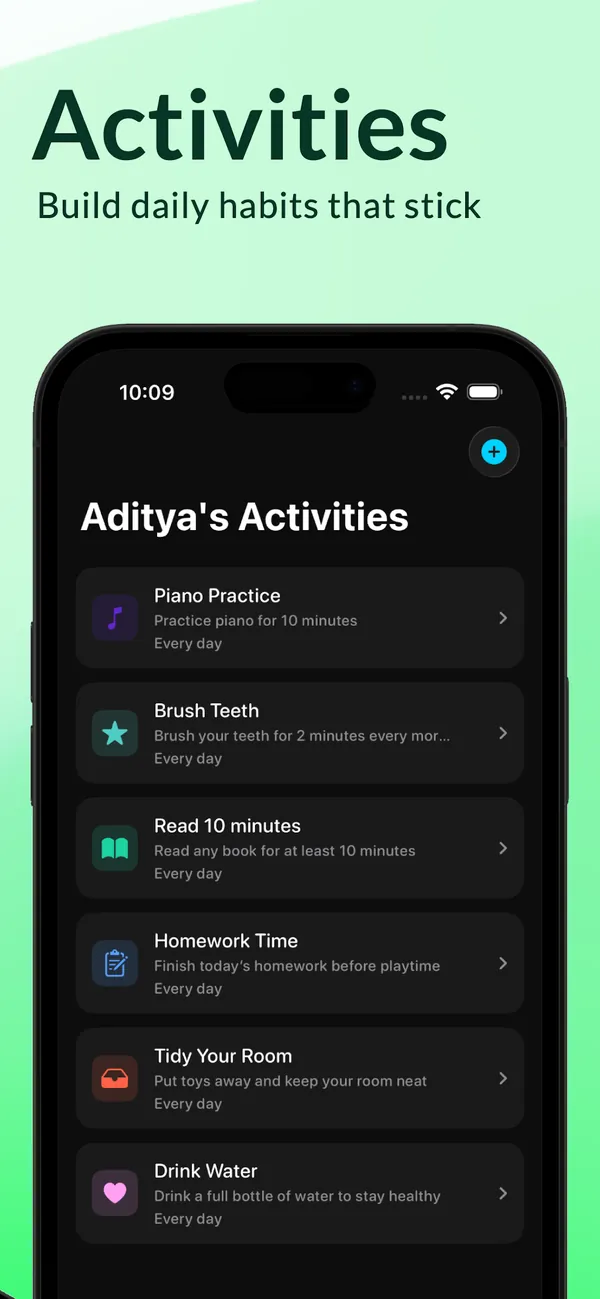
Simple daily activities that a kid can tick off with one tap. Each has its own colour, its own streak and its own countdown to the next bonus.
- Brush my teeth
- Read for 10 minutes
- Make my bed
- Pack my school bag
- Drink 1L water
Bad habits
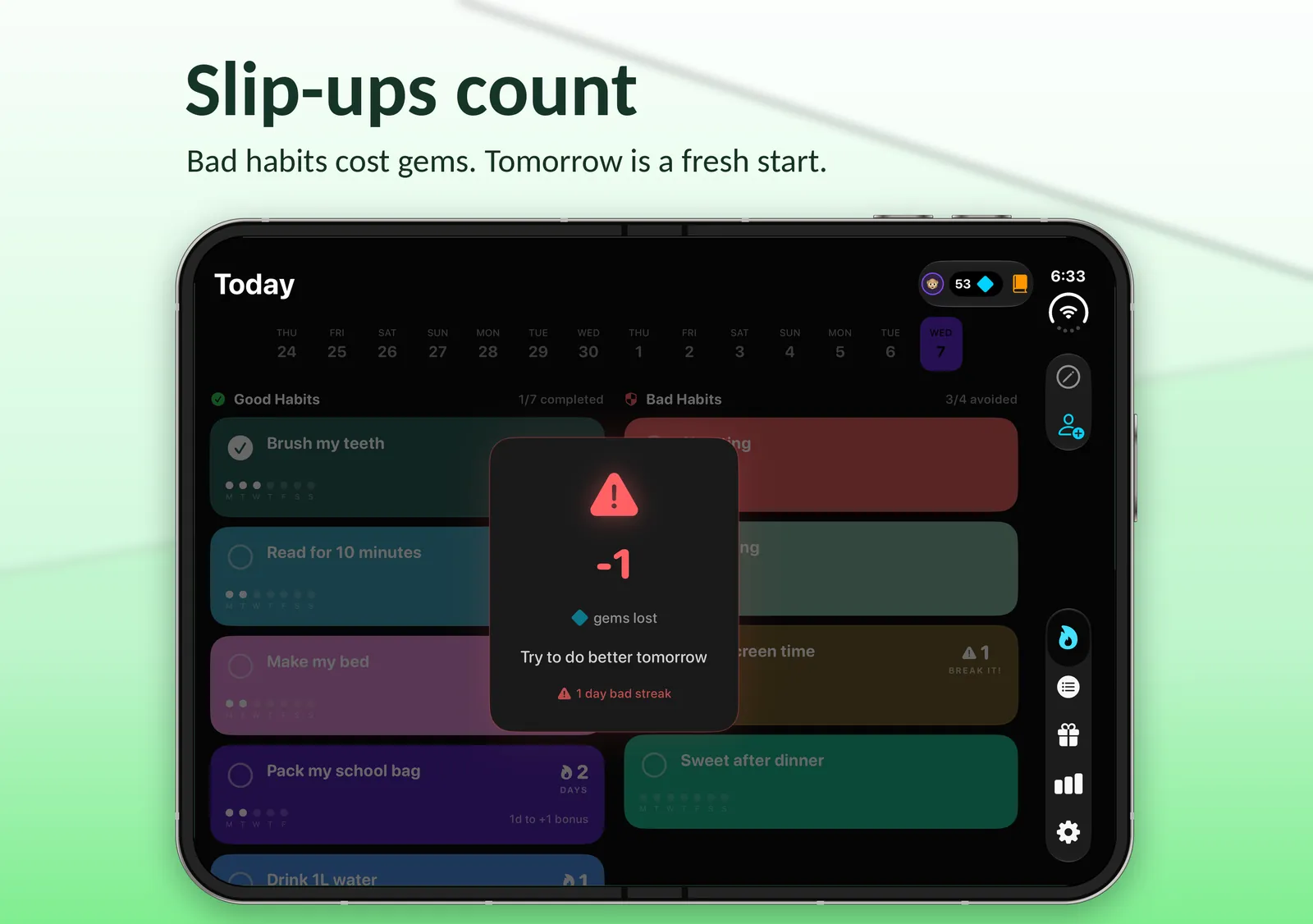
The things you would like less of. Slip-ups count: one gem lost and a gentle Try to do better tomorrow. Tomorrow is a fresh start.
- Shouting
- Nail Biting
- More screen time
- Sweet after dinner
Inside the app
Streaks, rewards, stickers. All in one place.
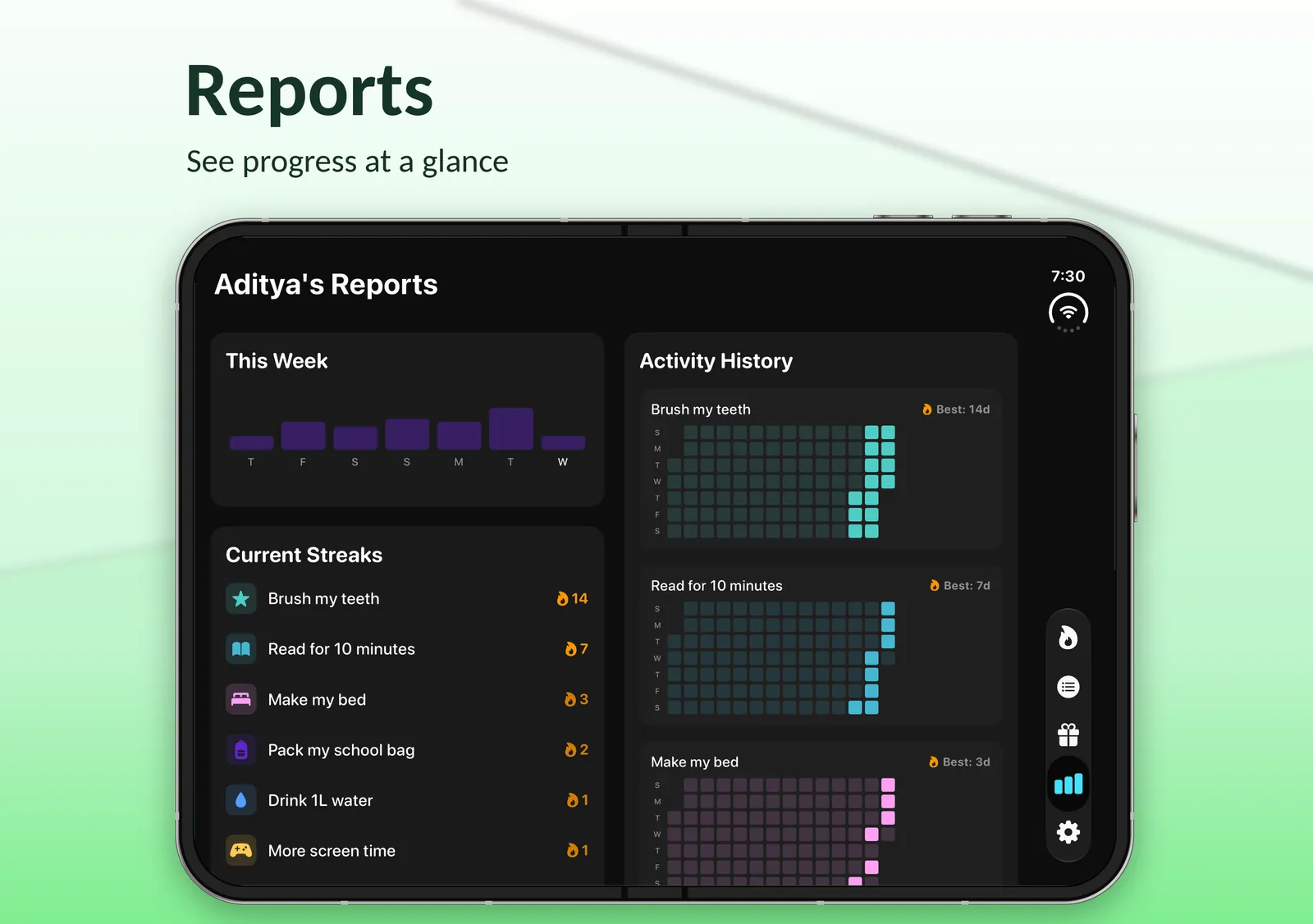
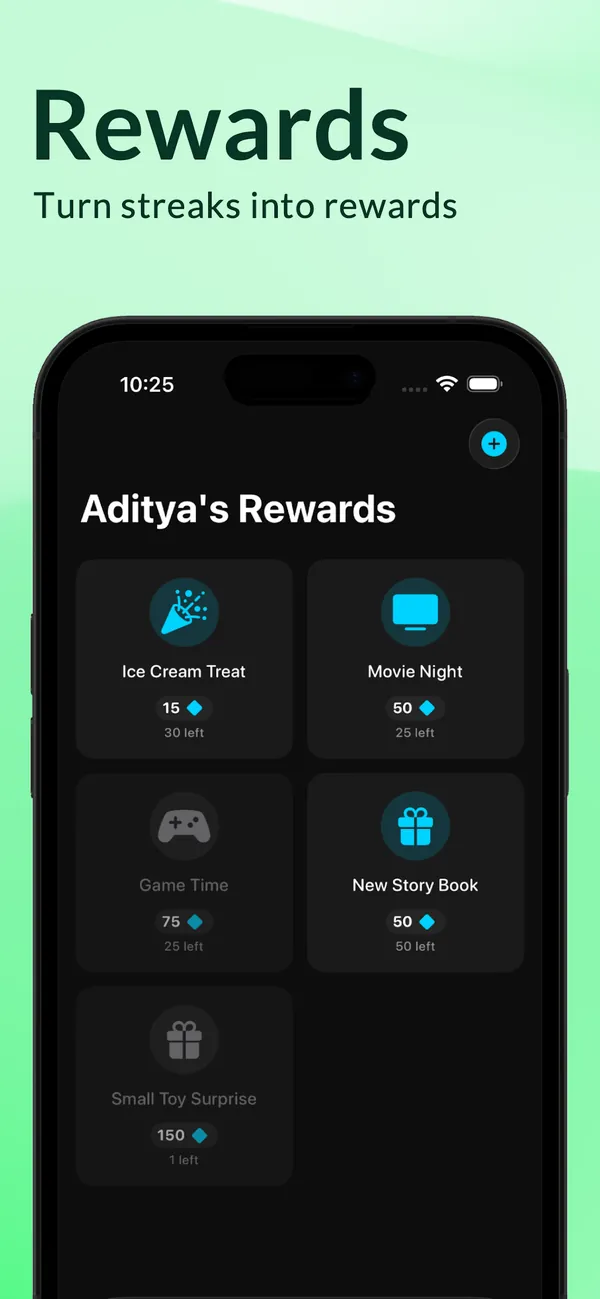
Straight from the App Store. A dark, calm screen with bright cards your kid can read at a glance.
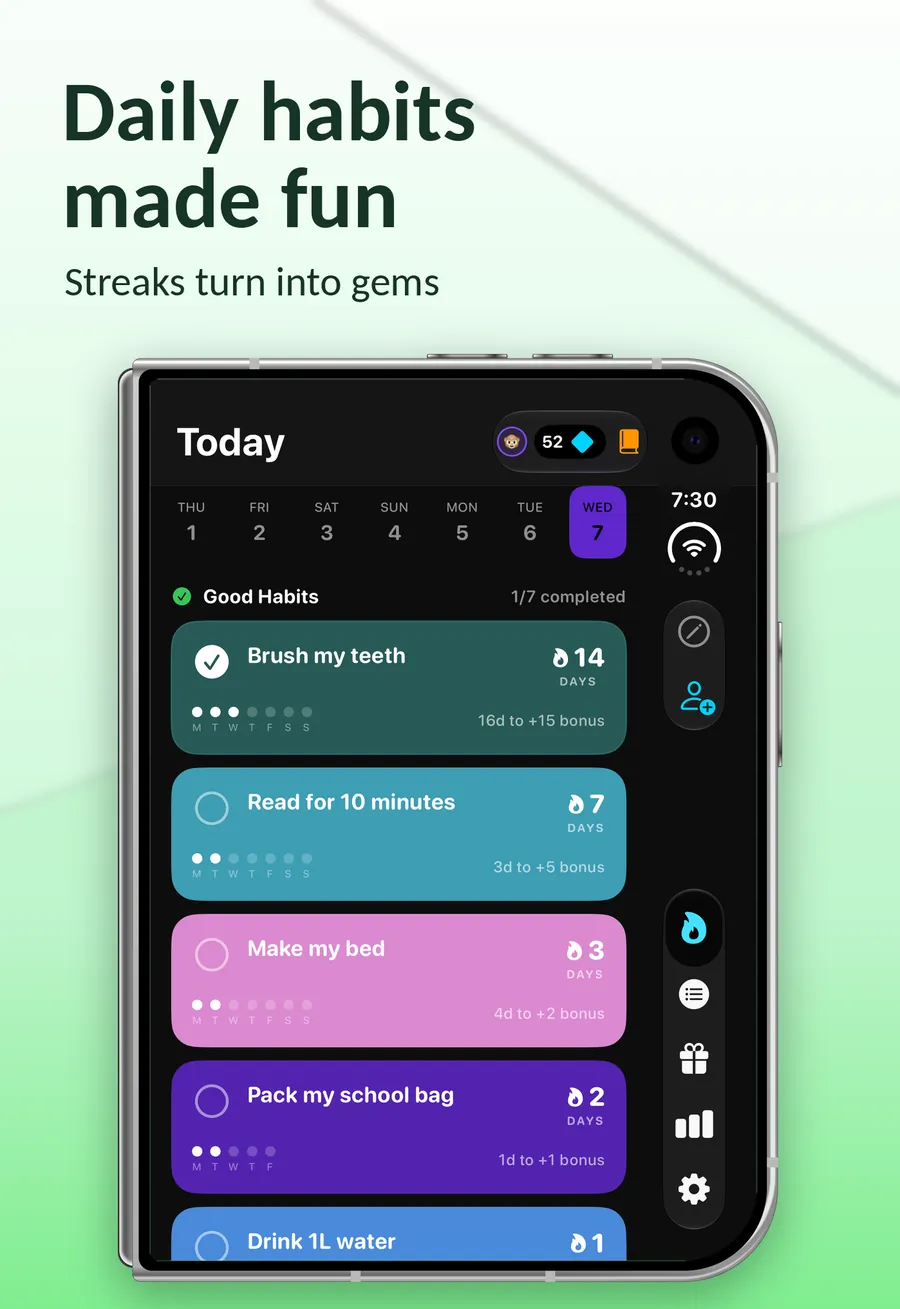
On a regular iPhone
How it works
Set up a reward chart in five minutes.
Parents set it up once. After that, it is the kids’ app.
Add your kid
Open Little Wins and add your child. The free version covers 1 kid; Little Wins Pro adds the rest of the family.
Set the daily activities
Brush my teeth, Read for 10 minutes, Make my bed, Pack my school bag. Add bad habits to avoid too, like Shouting or More screen time.
Add rewards and their gem prices
An ice cream treat, a movie night, screen time. You decide what each one costs in gems and how many are available.
Tick off activities every day
Your kid taps each activity on the Today screen when it’s done. Each one earns a gem and grows its streak, milestones add bonus gems, and finishing them all adds a Perfect Day bonus.
Redeem gems for a reward
When there are enough gems, your kid swaps them for a reward from their reward store, and you hand it over.
Compare
Better than stickers on the fridge. Simpler than a chore app.
Most families start with a paper chart. Little Wins keeps the idea and does the counting for you.
| Question | Little Winsreward chart app | Paper sticker charton the fridge | Grown-up habit trackersmade for one adult | Chore and allowance appspoints or pocket money |
|---|---|---|---|---|
| What kids collect | Gems, plus passport stickers. | Stickers. | Checkmarks. | Points or money. |
| Streaks | Every activity has one, with bonus gems at 3, 7, 10, 30 and 50 days. | Counted by hand, if at all. | Usually, without a reward. | Varies. |
| Rewards | A reward store you fill, with gem prices and stock. | Whatever you agree on. | Rarely. | Often real money. |
| Bad habits | Tracked next to good ones; a slip-up costs 1 gem. | Rarely. | Some apps. | Rarely. |
| More than one kid | Yes, with Pro. Each kid has their own chart. | One chart per kid. | Usually one person. | Usually. |
| Account and data | No account, no data collection, works offline. | None. | Depends on the app. | Often an account for each family member. |
| Cost | Free for 1 kid. Pro $0.99 a month, $2.99 a year or $4.99 once. | The stickers. | Varies. | Varies, often a subscription. |
Categories are described in general terms so you can place Little Wins among them. Individual apps vary, so check the details that matter to you.
Little Wins Pro
Free for one kid. Pro for the whole family.
The free app stays free: 1 kid, 3 activities and 2 rewards each, and 1 passport sticker. Pro adds the rest of the family, more activities, rewards and stickers, full reports, Home Screen widgets and iCloud sync.
Free
1 kid, 3 activities and 2 rewards each, 1 passport sticker.
$0free download
Monthly 1 week free
Every kid, every activity, full reports, widgets and iCloud sync.
$0.99per month
Yearly 1 week free
Everything in Pro for a year. The best value of the subscriptions.
$2.99per year
Lifetime
Everything in Pro. One payment, yours for good. Not a subscription.
$4.99one payment
Monthly and Yearly are auto-renewable subscriptions. Payment is charged to your Apple Account at confirmation of purchase, or when the free trial ends if you started one. A subscription renews automatically unless it is cancelled at least 24 hours before the end of the current period, and your account is charged for renewal within the 24 hours before that period ends. Cancel at least 24 hours before a free trial ends and you are not charged. The free trial is for new subscribers. Manage or cancel any time in your Apple Account’s subscription settings. Lifetime is a single payment and does not renew. Family Sharing is on for Monthly and Yearly. Prices are in US dollars; the App Store shows your local price.
If Pro ends, nothing is deleted. Your first kid and your first activities and rewards stay usable, the rest are locked until Pro is back, iCloud sync keeps running, and widgets lock. Terms of Use (EULA) · Privacy Policy
I bought Pro before. Do I have to subscribe?
No. Bought Little Wins Pro before? It is Lifetime and stays yours for good. You are never asked to subscribe, and nothing about your purchase changes. On a new device, open the Pro screen in Little Wins and tap Restore Purchases.
Your family’s data stays with your family.
Little Wins collects no personal information. No account, no ads, no analytics, no third-party tracking. Kids’ names, activities, streaks, gems and rewards live on your device and, if you use sync, in your own private iCloud account. Purchases are handled by Apple.
Read the privacy policy →Questions
Good to know
What is Little Wins?
Reward Chart: Little Wins is an iPhone reward chart app that helps kids build daily routines with streaks, gems and rewards. Parents set activities like brushing teeth, reading or homework. Kids tick them off each day to grow streaks and earn gems, and spend the gems on rewards the parent chooses. It was previously called Tiny Streaks.
Is there a free reward chart app for kids?
Yes. Little Wins is free to download and free to use with 1 kid, 3 activities and 2 rewards for each kid, and 1 passport sticker. Little Wins Pro adds the rest of the family, more activities, rewards and stickers, full reports, Home Screen widgets and iCloud sync.
How much does Little Wins cost?
Little Wins is free to download, with 1 kid, 3 activities and 2 rewards for each kid, and 1 passport sticker. Little Wins Pro is $0.99 a month or $2.99 a year, each with a 1-week free trial for new subscribers, or $4.99 once for Lifetime. Family Sharing is on for the Monthly and Yearly plans. Prices are in US dollars and the App Store shows your local price.
How do kids earn gems in Little Wins?
Every completed activity earns 1 gem. Streak milestones add bonus gems: 1 at 3 days, 2 at one week, 5 at 10 days, 15 at 30 days and 25 at 50 days. Finishing every activity for the day adds a Perfect Day bonus of 2 gems, and once a streak passes 50 days each activity earns 2 gems instead of 1.
What is a streak in Little Wins?
A streak is the number of days in a row a kid has completed an activity. Each activity card shows its streak next to a flame, the days done this week, and how far it is to the next bonus, for example 3d to +5 bonus. Miss a day and that activity’s streak starts again.
Can Little Wins track bad habits too?
Yes. Bad habits such as shouting, nail biting or more screen time sit next to the good habits on the Today screen, with a count of how many were avoided. A slip-up costs 1 gem and the app says Try to do better tomorrow. Tomorrow is a fresh start.
What kind of rewards can I set?
Any reward you are happy to give, such as screen time, a treat, a movie night, an outing or money for toys. You set how many gems each reward costs and how many are available, and the reward store shows your kid how many more gems they need.
Can I use Little Wins with more than one child?
Yes. Little Wins manages several children from one app, each with their own activities, streaks, gems and rewards. The free version covers 1 kid, and Little Wins Pro adds every kid in the family.
Does Little Wins work offline and sync between devices?
Yes. Little Wins is offline first, so it works without an internet connection. iCloud sync, part of Little Wins Pro, keeps your family’s data in step across your Apple devices through your own private iCloud account.
Is Little Wins safe for kids? Does it collect data?
Little Wins collects no personal information. There is no account, no ads, no analytics and no third-party tracking. Kids’ names, activities, streaks, gems and rewards stay on your device and, if you use sync, in your private iCloud account. The app is rated 4+ on the App Store.
What happened to Tiny Streaks?
Tiny Streaks is now called Reward Chart: Little Wins. It is the same app from the same developer on the same App Store listing, with a new name and a new icon.
Does Little Wins work on a foldable iPhone?
Yes. Version 1.4 added support for iPhone Duo. Folded, Little Wins shows one column like a regular iPhone. Unfolded, good habits and bad habits sit side by side, and reports show the week, current streaks and activity history together.
I bought Pro before. Do I have to subscribe?
No. Bought Little Wins Pro before? It is Lifetime and stays yours for good. You are never asked to subscribe, and nothing about your purchase changes. On a new device, open the Pro screen in Little Wins and tap Restore Purchases.
How do I cancel Little Wins Pro?
Subscriptions are managed by Apple, not by us. On your iPhone, open Settings, tap your name, then Subscriptions, choose Little Wins Pro and tap Cancel Subscription. You can also get there from the Pro screen in Little Wins with Manage Subscription. Cancel at least 24 hours before the renewal date, or before the free trial ends, to avoid being charged. You keep Pro until the end of the period you paid for. If Pro ends, nothing is deleted. Your first kid and your first activities and rewards stay usable, the rest are locked until Pro is back, iCloud sync keeps running, and widgets lock.
How do I get help with Little Wins?
Email anandrajramamoorthy@gmail.com with questions, bug reports or ideas. Every message is read.